How to Download Solas Shader in Minecraft (Step-by-Step Guide)
 mcpecentraladmin
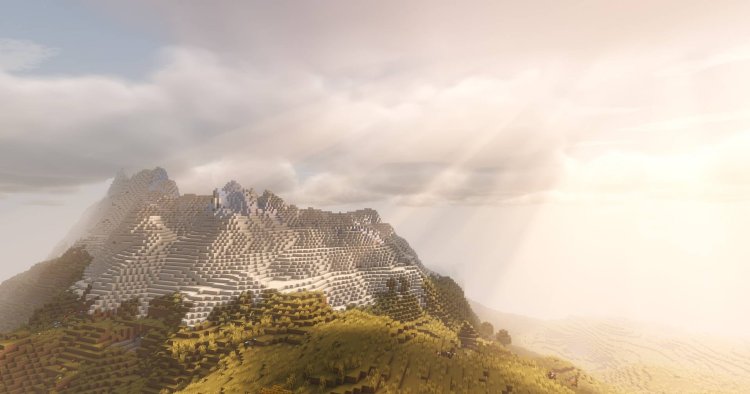
If you’re searching for how to download Solas Shader for Minecraft, this complete guide will walk you through the correct and safest installation method using Iris Shader Loader.
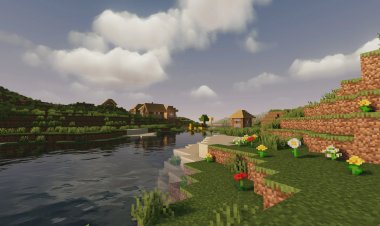
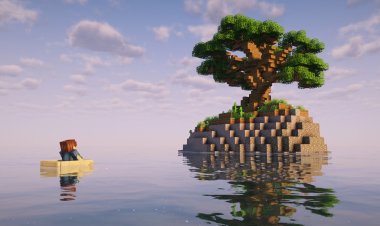
Solas Shader is a high-quality Minecraft shader known for its beautiful lighting, realistic shadows, cinematic skies, and immersive atmosphere, making it a popular choice for players who want stunning visuals without overly complex setup.
What Is Solas Shader?
Solas Shader is a modern Minecraft shader pack that enhances:
-
Global illumination
-
Soft and realistic shadows
-
Volumetric lighting
-
Improved sky, clouds, and water
-
Overall cinematic visuals
It works best with Iris Shader Loader, offering smoother performance and better compatibility with newer Minecraft versions.
What You Need Before Installing Solas Shader
Before starting, make sure you have:
-
Minecraft Java Edition
-
Iris Shader Loader
-
Java installed on your PC
-
A Solas Shader version compatible with your Minecraft version
Step 1: Download Iris Shader Loader (Required)
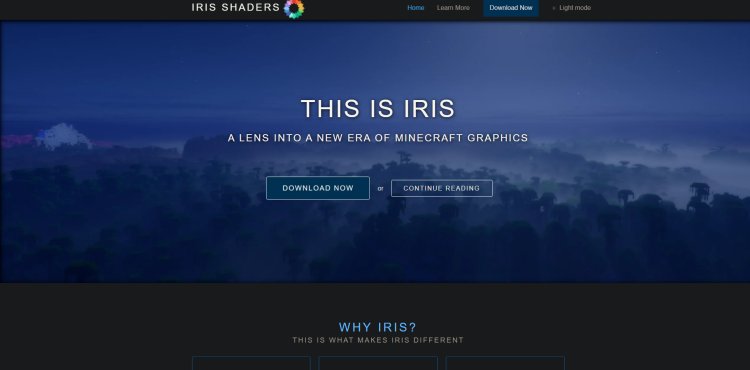
Iris is the recommended shader loader for Minecraft and is fully compatible with Solas Shader.
Download Iris Shader Loader here:
https://www.irisshaders.dev/
Why use Iris?
-
Better performance than OptiFine
-
Works seamlessly with modern shaders
-
Easy installation
-
Actively updated
Download the Iris installer (.jar) and save it somewhere easy to access.
Step 2: Download Solas Shader
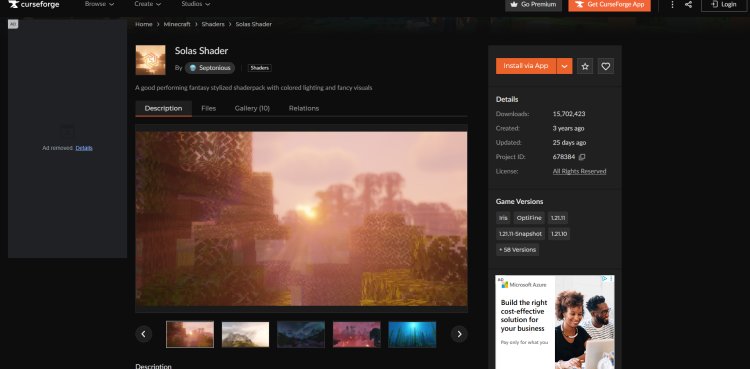
Next, download the Solas Shader pack from CurseForge.
Download Solas Shader here:
https://www.curseforge.com/minecraft/shaders/solas-shader
Important:
-
Choose the Solas Shader version compatible with your Minecraft version
-
Make sure it supports Iris Shader Loader
-
Download the shader as a .zip file
-
Do not extract the file
Step 3: Install Java (If You Haven’t Already)

Iris requires Java to run the installer.
Download Java (Java 21 recommended):
https://www.oracle.com/java/technologies/downloads/#java21
NOTE:
You may need to restart your PC after installing Java so it applies correctly to your system.
If Iris won’t open, Java is usually the reason.
Step 4: Install Iris Shader Loader
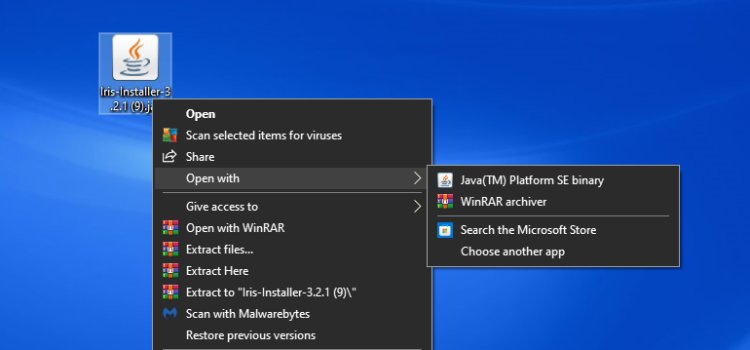
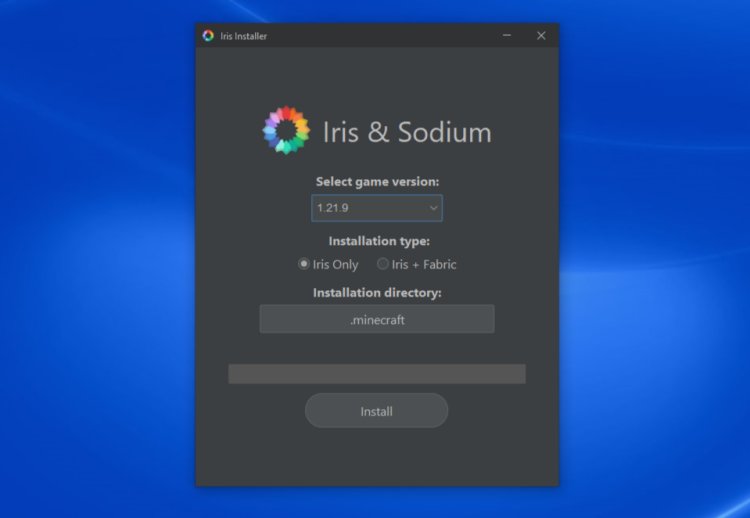
-
Locate the Iris Installer
.jarfile -
Right-click the file
-
Select “Open with Java”
-
Choose your Minecraft version
-
Click “Install”
Once complete, Iris will automatically create a new Minecraft installation profile.
Step 5: Select the Iris Installation in Minecraft Launcher

-
Open Minecraft Launcher
-
Click “Installations” at the top
-
Under Versions, make sure “Modded” is enabled
-
Select the Iris installation
-
Save and return to the launcher
This ensures Minecraft launches using Iris instead of vanilla Minecraft.
Step 6: Add Solas Shader to the Shaderpacks Folder

-
Open your Minecraft Installation Folder
-
Locate the “shaderpacks” folder
-
Drag and drop the Solas Shader
.zipfile into theshaderpacksfolder
Do not unzip the shader file.
Step 7: Launch Minecraft and Enable Solas Shader
-
Launch Minecraft using the Iris profile
-
Go to Options → Video Settings → Shaders
-
Select Solas Shader
-
Click Apply
Solas Shader is now enabled and ready to use
Best Settings for Solas Shader (Optional)
For smoother performance:
-
Lower shadow resolution if needed
-
Reduce render distance
-
Disable extra effects on low-end PCs
-
Use default or balanced presets
These tweaks help maintain stable FPS while keeping visuals impressive.
Common Problems & Fixes
Solas Shader not showing up?
-
Confirm it’s inside the
shaderpacksfolder -
Keep the file zipped
Minecraft crashes on launch?
-
Check version compatibility
-
Update graphics drivers
-
Reinstall Iris if needed
Low FPS?
-
Lower shader quality settings
-
Close background apps
-
Allocate more RAM
Final Thoughts: Best Way to Download Solas Shader
Installing Solas Shader with Iris Shader Loader is the best and most reliable method for achieving cinematic Minecraft visuals. It offers a perfect balance between realism, atmosphere, and performance.
If your goal is to make Minecraft look beautiful, immersive, and modern, Solas Shader is an excellent choice.
Quick Download Links
-
Iris Shader Loader: https://www.irisshaders.dev/
-
Solas Shader (CurseForge): https://www.curseforge.com/minecraft/shaders/solas-shader
-
Java Download: https://www.oracle.com/java/technologies/downloads/#java21