How to Download XRay for Minecraft 26.2 (PC) – Easy Installation Guide
 mcpecentraladmin
How to Download XRay for Minecraft 26.2 (PC)
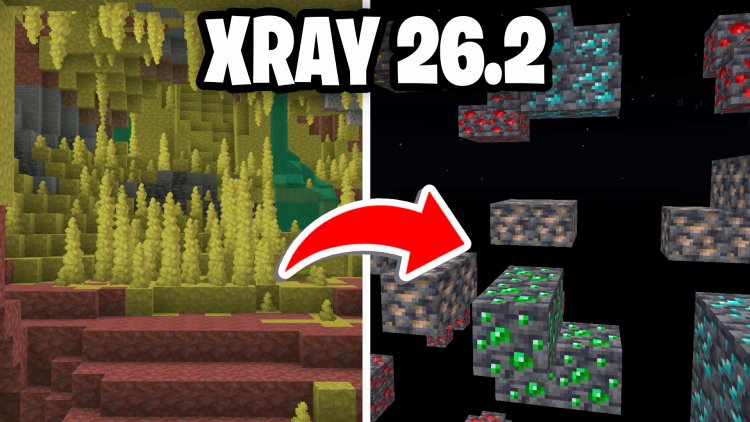
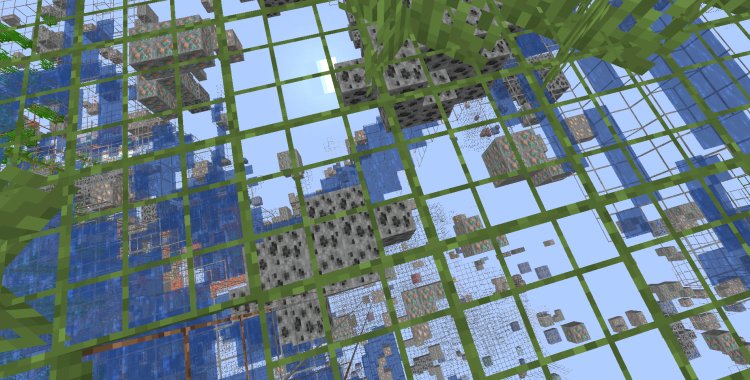
Looking for an easy way to find diamonds, ancient debris, emeralds, and other valuable resources in Minecraft 26.2? The XRay Ultimate Resource Pack allows players to see ores through blocks, making mining much faster and more efficient.
In this guide, we'll show you exactly how to download and install XRay for Minecraft 26.2 on PC in just a few minutes.
What Is XRay in Minecraft?
XRay is a popular Minecraft resource pack that makes valuable blocks and ores visible while hiding less important blocks. This helps players quickly locate:
- Diamonds
- Ancient Debris
- Emeralds
- Gold Ore
- Iron Ore
- Redstone
- Lapis Lazuli
- Caves and Mineshafts
- Mob Spawners
The XRay Ultimate pack is one of the most widely used XRay resource packs for Minecraft Java Edition.
Step 1: Download the XRay Resource Pack
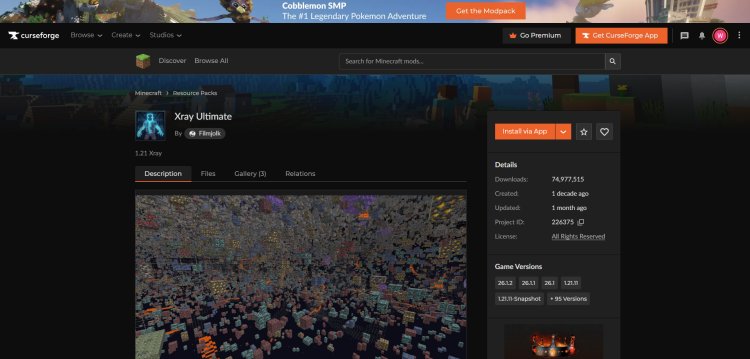
First, download the XRay Ultimate resource pack.
Download Link:
https://www.curseforge.com/minecraft/texture-packs/xray-ultimate-1-11-compatible
Once downloaded, keep the ZIP file on your computer.
Important: Do not extract the ZIP file.
Step 2: Open Minecraft 26.2
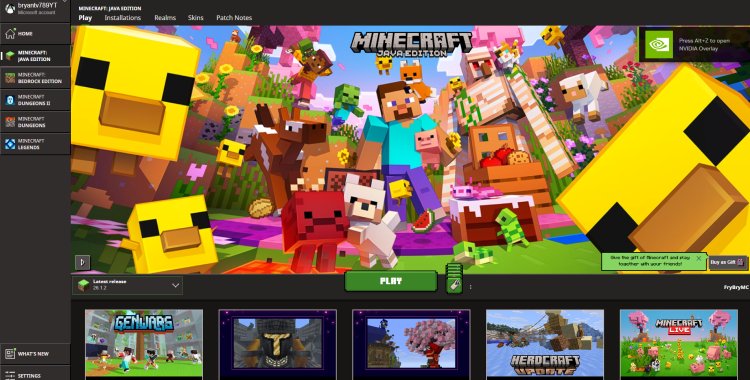
Launch the Minecraft Launcher.
- Select Minecraft 26.2.
- Click Play.
- Wait for Minecraft to fully load.
Step 3: Open the Resource Pack Folder
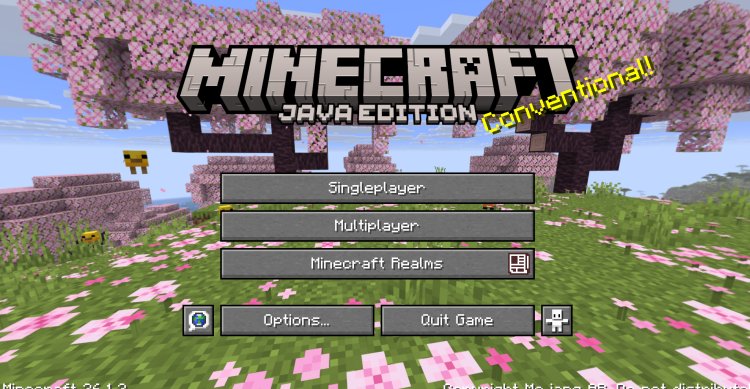
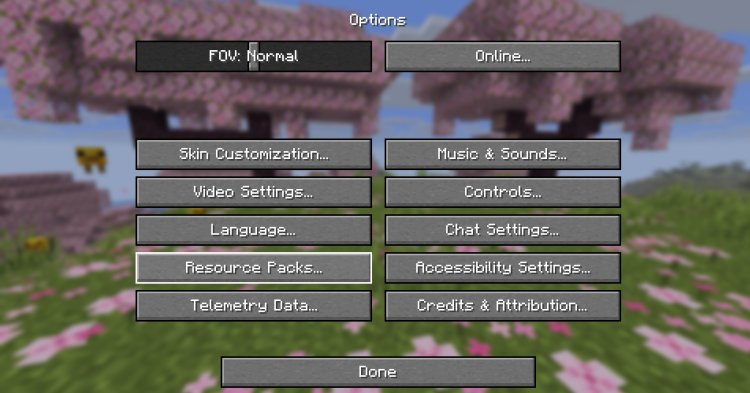
From the Minecraft main menu:
- Click Options.
- Select Resource Packs.
- Click Open Pack Folder.
Minecraft will automatically open the resource packs directory on your computer.
Step 4: Install the XRay Pack
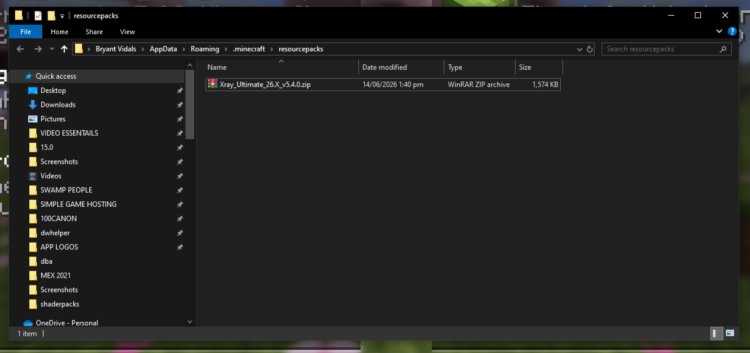
With the resource pack folder open:
- Locate the downloaded XRay Ultimate ZIP file.
- Drag and drop the ZIP file into the Resource Packs folder.
- Return to Minecraft.
The XRay pack should now appear in the available resource packs list.
Step 5: Activate XRay
To enable the pack:
- Click the XRay Ultimate resource pack.
- Move it to the active resource packs section.
- Click Done.
Minecraft will reload resources and activate the pack.
Step 6: Start Mining
Load into your Minecraft world.
You should now be able to:
- See diamonds through stone
- Locate ancient debris more easily
- Find cave systems
- Spot mineshafts underground
- Discover valuable ores faster
Enjoy faster resource gathering and exploration.
Why Use XRay Ultimate?
XRay Ultimate is popular because it offers:
- Easy installation
- Regular updates
- Compatibility with modern Minecraft versions
- High visibility for ores
- Simple resource pack setup
- No complicated mod installation
Many players choose XRay Ultimate because it works through Minecraft's built-in resource pack system.
Troubleshooting
XRay Pack Doesn't Appear
Make sure:
- The ZIP file was not extracted.
- The file is placed directly inside the Resource Packs folder.
- Minecraft has been refreshed or restarted.
Resource Pack Is Incompatible
Check for the latest version of XRay Ultimate on CurseForge.
XRay Isn't Working Properly
Try disabling conflicting resource packs and reload Minecraft resources.
Conclusion
Installing XRay for Minecraft 26.2 is incredibly simple. Download the XRay Ultimate resource pack, place it in your Resource Packs folder, activate it in Minecraft's settings, and start locating valuable ores in seconds. Whether you're searching for diamonds, ancient debris, or hidden cave systems, XRay can dramatically speed up resource collection.
Frequently Asked Questions (FAQ)
Is XRay Ultimate free?
Yes. XRay Ultimate is completely free to download and use.
Does XRay work on Minecraft 26.2?
Yes. XRay Ultimate is regularly updated and works with modern Minecraft Java Edition versions.
Do I need Forge or Fabric?
No. XRay Ultimate is a resource pack and can be installed directly through Minecraft's Resource Packs menu.
Where do I put the XRay ZIP file?
Place the ZIP file directly inside Minecraft's Resource Packs folder.
Should I extract the ZIP file?
No. Leave the file in ZIP format before placing it into the Resource Packs folder.
Can I use XRay on multiplayer servers?
Many servers prohibit XRay usage. Always review a server's rules before using resource packs that provide gameplay advantages.
Why can't I see the XRay pack in Minecraft?
Make sure the file is in the correct folder and remains in ZIP format.
What ores can XRay help me find?
XRay Ultimate can help you locate diamonds, emeralds, ancient debris, gold, iron, redstone, lapis lazuli, and other valuable resources.
How to Download XRay for Minecraft 26.2 (PC)
Looking for an easy way to find diamonds, ancient debris, emeralds, and other valuable resources in Minecraft 26.2? The XRay Ultimate Resource Pack allows players to see ores through blocks, making mining much faster and more efficient.
In this guide, we'll show you exactly how to download and install XRay for Minecraft 26.2 on PC in just a few minutes.
What Is XRay in Minecraft?
XRay is a popular Minecraft resource pack that makes valuable blocks and ores visible while hiding less important blocks. This helps players quickly locate:
- Diamonds
- Ancient Debris
- Emeralds
- Gold Ore
- Iron Ore
- Redstone
- Lapis Lazuli
- Caves and Mineshafts
- Mob Spawners
The XRay Ultimate pack is one of the most widely used XRay resource packs for Minecraft Java Edition.
Benefits of Using XRay in Minecraft 26.2
Some advantages include:
- Faster mining
- Easier diamond hunting
- Locate ancient debris quickly
- Find caves and mineshafts
- Save time gathering resources
- Improve survival progression
Step 1: Download the XRay Resource Pack
First, download the XRay Ultimate resource pack.
Download Link:
https://www.curseforge.com/minecraft/texture-packs/xray-ultimate-1-11-compatible
Once downloaded, keep the ZIP file on your computer.
Important: Do not extract the ZIP file.
Step 2: Open Minecraft 26.2
Launch the Minecraft Launcher.
- Select Minecraft 26.2.
- Click Play.
- Wait for Minecraft to fully load.
Step 3: Open the Resource Pack Folder
From the Minecraft main menu:
- Click Options.
- Select Resource Packs.
- Click Open Pack Folder.
Minecraft will automatically open the resource packs directory on your computer.
Step 4: Install the XRay Pack
With the resource pack folder open:
- Locate the downloaded XRay Ultimate ZIP file.
- Drag and drop the ZIP file into the Resource Packs folder.
- Return to Minecraft.
The XRay pack should now appear in the available resource packs list.
Step 5: Activate XRay
To enable the pack:
- Click the XRay Ultimate resource pack.
- Move it to the active resource packs section.
- Click Done.
Minecraft will reload resources and activate the pack.
Step 6: Start Mining
Load into your Minecraft world.
You should now be able to:
- See diamonds through stone
- Locate ancient debris more easily
- Find cave systems
- Spot mineshafts underground
- Discover valuable ores faster
Enjoy faster resource gathering and exploration.
Why Use XRay Ultimate?
XRay Ultimate is popular because it offers:
- Easy installation
- Regular updates
- Compatibility with modern Minecraft versions
- High visibility for ores
- Simple resource pack setup
- No complicated mod installation
Many players choose XRay Ultimate because it works through Minecraft's built-in resource pack system.
Troubleshooting
XRay Pack Doesn't Appear
Make sure:
- The ZIP file was not extracted.
- The file is placed directly inside the Resource Packs folder.
- Minecraft has been refreshed or restarted.
Resource Pack Is Incompatible
Check for the latest version of XRay Ultimate on CurseForge.
XRay Isn't Working Properly
Try disabling conflicting resource packs and reload Minecraft resources.
Conclusion
Installing XRay for Minecraft 26.2 is incredibly simple. Download the XRay Ultimate resource pack, place it in your Resource Packs folder, activate it in Minecraft's settings, and start locating valuable ores in seconds. Whether you're searching for diamonds, ancient debris, or hidden cave systems, XRay can dramatically speed up resource collection.
Frequently Asked Questions (FAQ)
Is XRay Ultimate free?
Yes. XRay Ultimate is completely free to download and use.
Does XRay work on Minecraft 26.2?
Yes. XRay Ultimate is regularly updated and works with modern Minecraft Java Edition versions.
Do I need Forge or Fabric?
No. XRay Ultimate is a resource pack and can be installed directly through Minecraft's Resource Packs menu.
Where do I put the XRay ZIP file?
Place the ZIP file directly inside Minecraft's Resource Packs folder.
Should I extract the ZIP file?
No. Leave the file in ZIP format before placing it into the Resource Packs folder.
Can I use XRay on multiplayer servers?
Many servers prohibit XRay usage. Always review a server's rules before using resource packs that provide gameplay advantages.
Why can't I see the XRay pack in Minecraft?
Make sure the file is in the correct folder and remains in ZIP format.
What ores can XRay help me find?
XRay Ultimate can help you locate diamonds, emeralds, ancient debris, gold, iron, redstone, lapis lazuli, and other valuable resources.