How To Download Shaders For Minecraft 26.1 (Tiny Takeover) – Full Step-by-Step Guide
 mcpecentraladmin
Introduction
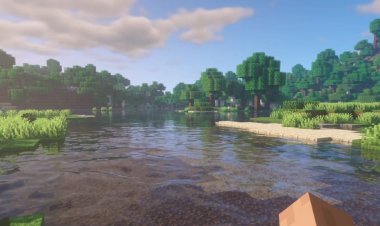
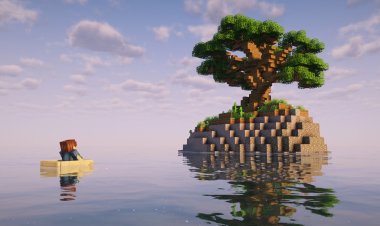
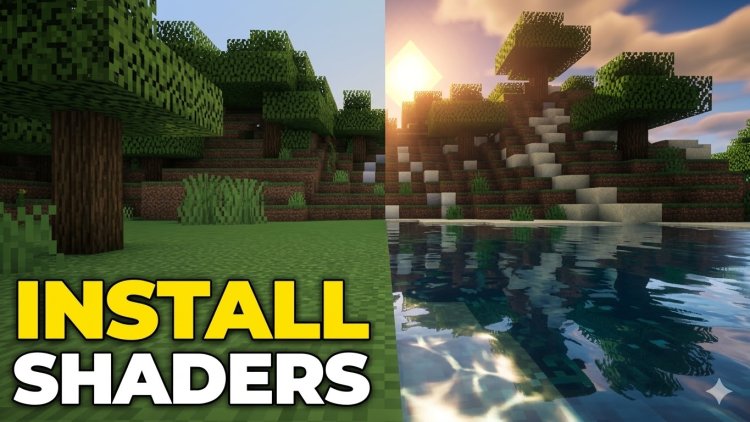
Shaders transform Minecraft's blocky world into a stunning visual experience — think realistic water reflections, god rays through the trees, and dynamic shadows that shift with the sun. With the Minecraft 26.1 Tiny Takeover update now live, players everywhere are looking for the best way to install shaders on the latest version.
In this guide, we'll walk you through exactly how to download and install shaders for Minecraft 26.1 using the Iris Shader Loader — the fastest, most compatible shader solution for modern Minecraft Java Edition. No Optifine needed.
How To Download Shaders For Minecraft 26.1 (Tiny Takeover) — Step by Step
Step 1: Download the Iris Shader Loader
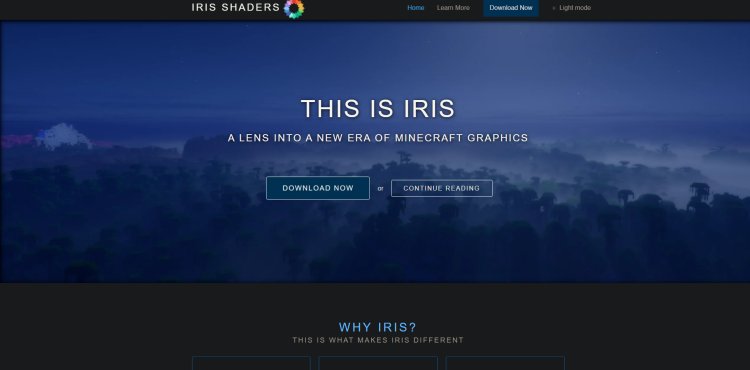
Head to the official Iris website and click "Download Now" to get the Iris installer: https://www.irisshaders.dev/
Iris is free, open-source, and the best shader loader available for Minecraft 26.1. It supports nearly all popular shader packs and runs significantly better than Optifine on newer versions of the game.
Step 2: Download a Shader Pack
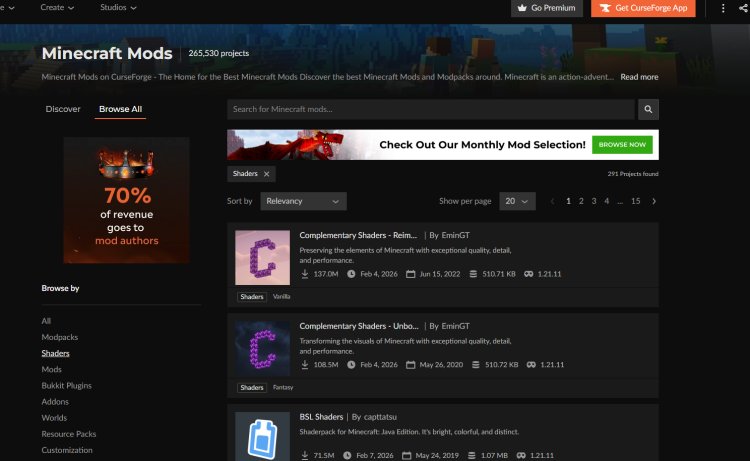
Next, you'll need an actual shader pack to use with Iris. Browse the full library of Iris-compatible Minecraft shader packs on CurseForge here: https://www.curseforge.com/minecraft/search?class=shaders
Popular choices include Complementary Shaders, BSL Shaders, Sildur's Vibrant Shaders, and SEUS. Download the .zip file for whichever shader you choose — do not unzip it.
Step 3: Download Java 17
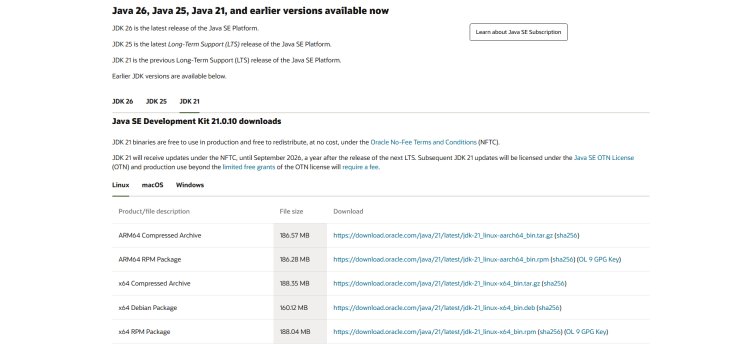
Java is required to open and run the Iris installer. Download it here and make sure to select your operating system (Windows, macOS, or Linux): ???? https://www.oracle.com/java/technologies/downloads/#java21
If you already have Java 17 or newer installed on your computer, you can skip this step.
Step 4: Open the Iris Installer Using Java
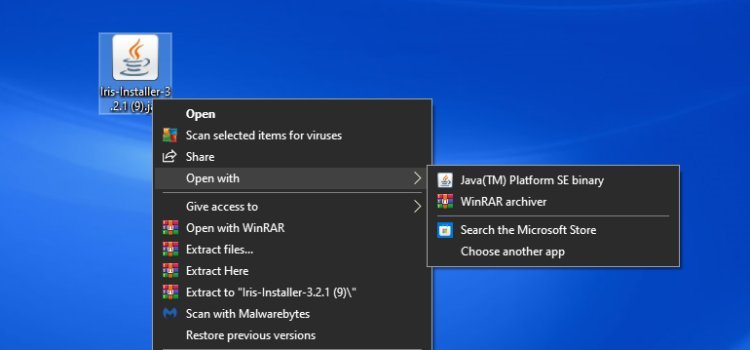
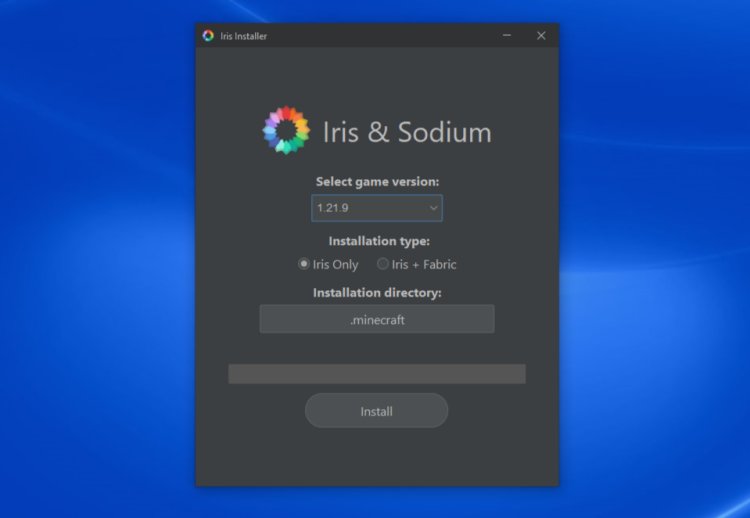
Locate the Iris .jar file you downloaded in Step 1. Right-click it, select Open With, and choose Java. The Iris installer window will open. From there, select the most recent version of Minecraft (26.1) and click Install.
Step 5: Find the Iris Profile in the Minecraft Launcher
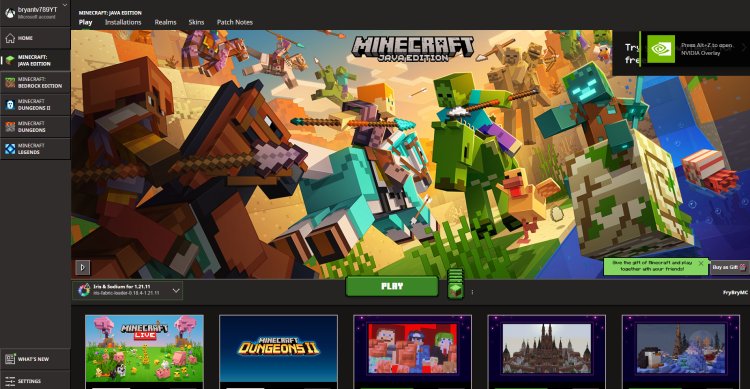
Open your Minecraft Launcher and navigate to the Installations tab. You'll see a new profile called something like Iris/Fabric that was just created by the installer. This is the profile you'll use whenever you want to play with shaders enabled.
Step 6: Add Your Shader to the Shaderpacks Folder
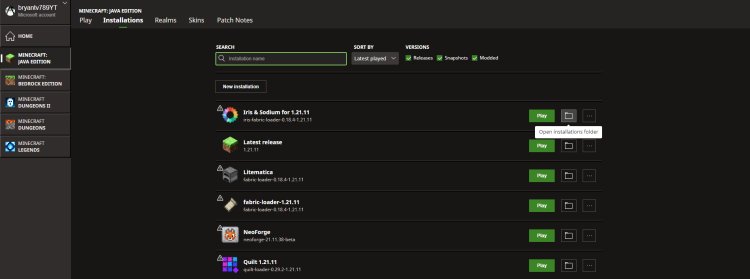
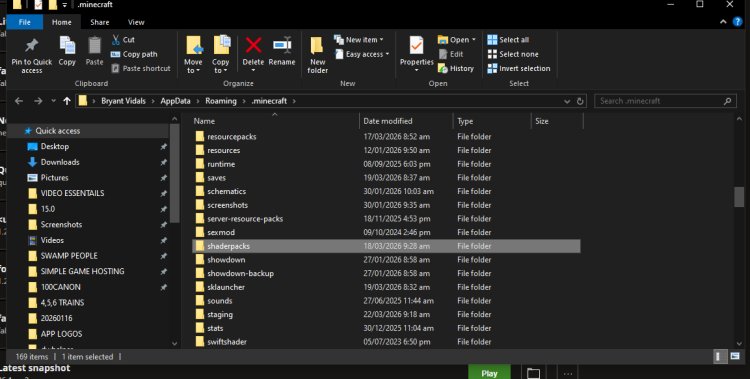
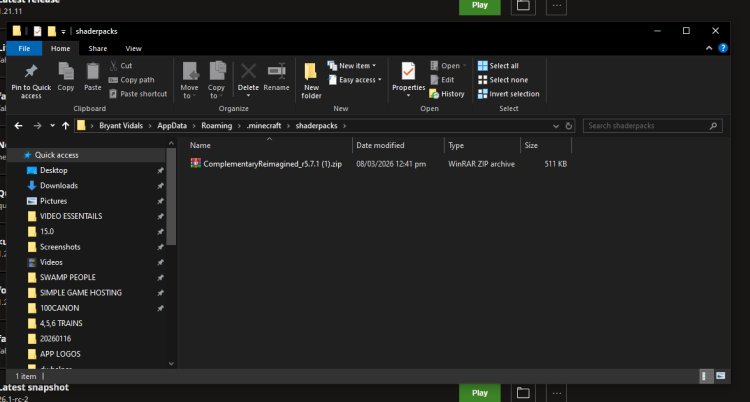
In the Minecraft Launcher, click the folder icon next to your Iris installation to open the installation directory. (On Windows, you can also navigate there manually at %appdata%\.minecraft.) Once inside, find and open the shaderpacks folder, then drag and drop your shader .zip file inside. Do not unzip it — leave it as a .zip.
Step 7: Load Your Shader In-Game
Launch Minecraft using your Iris profile. Once in-game, go to:
Options → Video Settings → Shader Packs
Your shader pack will appear in the list. Click it to select it, then click Apply. Your shader will load and your world will instantly look incredible.
From there — enjoy the shaders! ????
Best Shader Packs for Minecraft 26.1 (Tiny Takeover)
Not sure which shader to try first? Here are the top community favorites:
Complementary Shaders (Reimagined) — The most popular all-around shader. Beautiful visuals with great performance balance.
BSL Shaders — Highly customizable with stunning water and lighting effects. Works well on mid-range PCs.
Sildur's Vibrant Shaders — Available in Lite, Medium, High, and Extreme tiers. Great for lower-end machines.
SEUS (Sonic Ether's Unbelievable Shaders) — The most realistic option available. Best for high-end PCs.
Browse all Iris-compatible packs here: https://www.curseforge.com/minecraft/search?class=shaders
All Download Links (Quick Reference)
- Iris Shader Loader: https://www.irisshaders.dev/
- Shader Packs (CurseForge): https://www.curseforge.com/minecraft/search?class=shaders
- Java 17 Download: https://www.oracle.com/java/technologies/downloads/#java21
Frequently Asked Questions
What is the best shader loader for Minecraft 26.1? Iris Shaders is the best shader loader for Minecraft 26.1 Tiny Takeover. It's faster than Optifine, compatible with most shader packs, and actively maintained for the latest Minecraft versions.
Do I need Optifine to use shaders in Minecraft 26.1? No. Iris Shaders has replaced Optifine as the preferred method for installing shaders on modern Minecraft versions. Iris is faster, more stable, and works natively with Fabric.
Do I need Java to install Iris shaders? Yes. You need Java 17 or higher to run the Iris installer .jar file. Download it free at https://www.oracle.com/java/technologies/downloads/#java21
Where do I put shader packs in Minecraft? Place your shader .zip file inside the shaderpacks folder found in your Minecraft installation directory. Do not unzip the file.
Are Iris shaders free? Yes. The Iris Shader Loader is completely free and open source. Most shader packs on CurseForge are also free to download.
Will shaders slow down my Minecraft? Shaders are GPU-intensive, but Iris is optimized to minimize performance impact compared to other loaders. Choosing a lighter shader pack like Sildur's Lite will help on lower-end machines.
Do shaders work on Minecraft Bedrock Edition? This guide is for Minecraft Java Edition only. Bedrock Edition uses a different system and requires a separate process for visual enhancements.
Final Thoughts
Installing shaders on Minecraft 26.1 Tiny Takeover takes less than 10 minutes when you follow these steps. The Iris Shader Loader makes the whole process smooth, and with hundreds of shader packs available on CurseForge, you can find a look that perfectly matches your style — whether that's hyper-realistic, cinematic, or vibrant and colorful.
If this guide helped you, share it with a friend who wants to get shaders running too. Happy crafting. ????