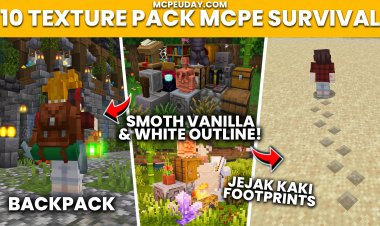
Most USEFUL MCPE Texture Packs for PvP! (Minecraft 1.21)
 mcpecentraladmin
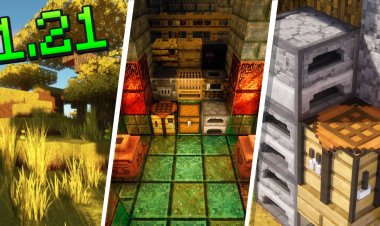
If you're looking for the best MCPE PvP texture packs for Minecraft Bedrock Edition 1.21, you've come to the right place. Whether you play on The Hive, CubeCraft, Zeqa, Galaxite, or any other Minecraft Bedrock PvP server, these utility texture packs can give you a cleaner UI, improve visibility, reduce distractions, and make combat feel much smoother.
Unlike traditional PvP packs that completely change Minecraft's appearance, these packs focus on quality-of-life improvements while keeping the vanilla look intact. Many competitive Bedrock players prefer these lightweight packs because they improve gameplay without affecting performance. PvP-focused packs often prioritize visibility, cleaner interfaces, and minimal visual clutter for better combat awareness.
Best MCPE PvP Texture Packs (Minecraft 1.21)
1. Java Animations
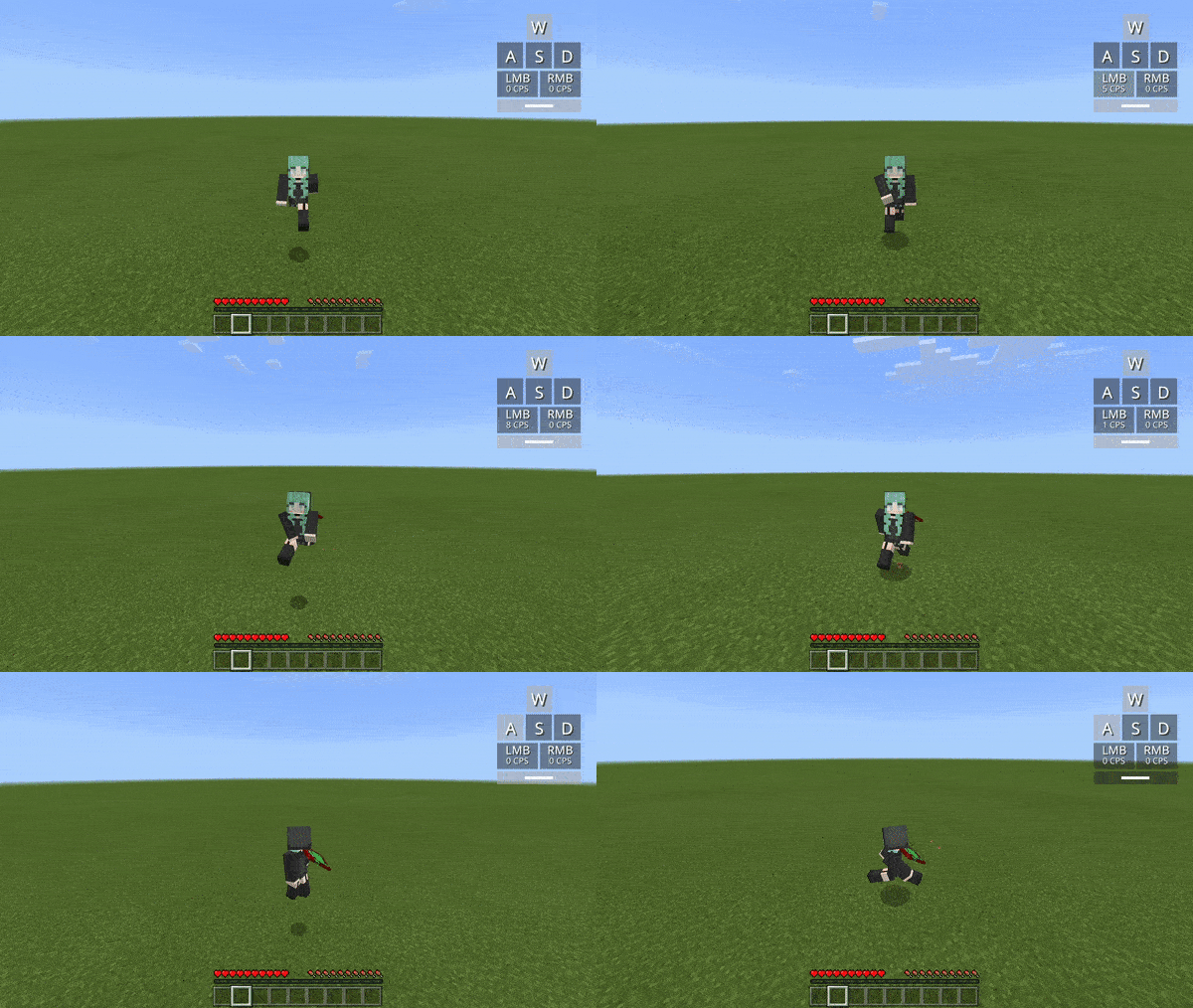
One of the most popular Bedrock utility packs, Java Animations brings many of the smoother animations found in Minecraft Java Edition to Bedrock.
Features
- Better item animations
- More immersive gameplay
- Smooth visual transitions
- Compatible with Minecraft 1.21
Download
https://www.mediafire.com/file/0f4ww3wrgsvnjob/1.21.0_java_anims_v2.5.1_by_ambient.mcpack/file
2. Java Chat (Buttons & Clean Chat)
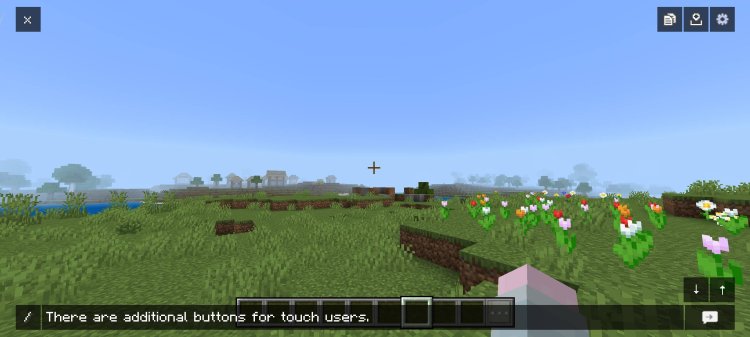
If you spend lots of time chatting during PvP matches, this resource pack dramatically improves the chat interface.
Features
- Cleaner chat window
- Java-style buttons
- Less screen clutter
- Better readability
Download
3. Low Fire
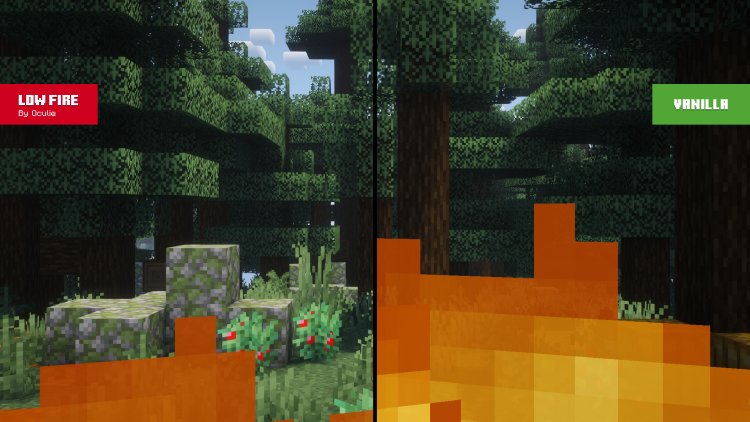
One of the most useful PvP texture packs available.
When you're on fire in Minecraft, the default fire overlay can block a large portion of your screen. Low Fire reduces the height of the flames so you can continue tracking opponents during fights.
Benefits
- Better visibility
- Easier to combo opponents
- Cleaner combat experience
- Perfect for Bedwars, SkyWars, Crystal PvP, and Survival PvP
Download
https://www.mediafire.com/file/m4qmzharzjfjct4/LowFireRes.mcpack/file
4. 3D Mace
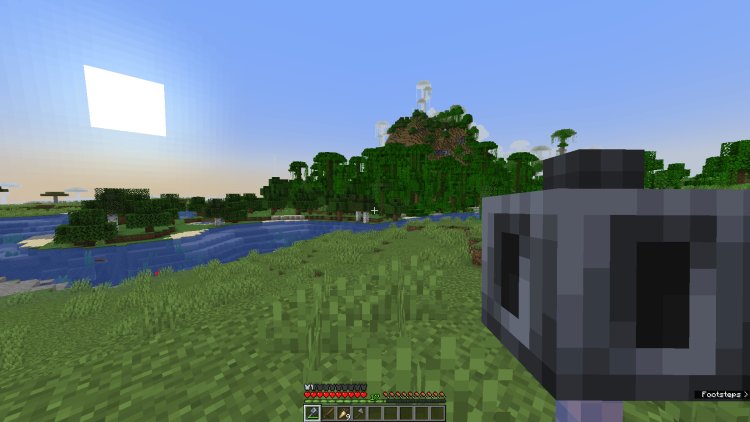
Minecraft 1.21 introduced the Mace, and this texture pack gives it an improved 3D appearance.
Features
- High-quality 3D model
- Looks great in combat
- Compatible with Bedrock Edition
Download
https://www.mediafire.com/file/isuo7gaedocn7v0/Mace_3D_RP_Bedrock.mcpack/file
5. Slot Hotbar Button
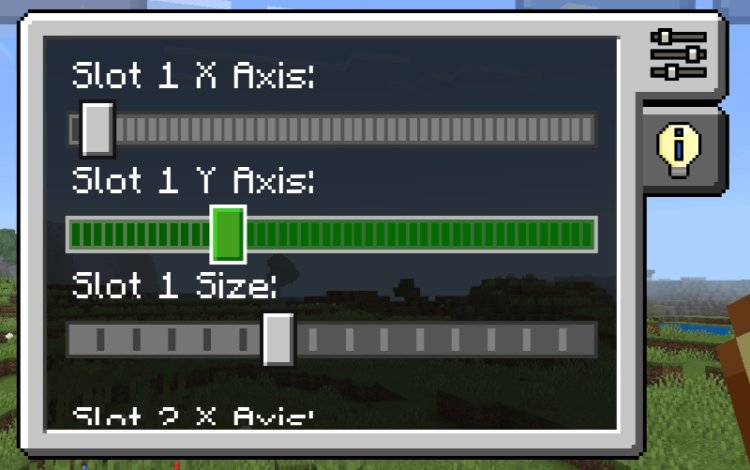
This pack improves the appearance of your hotbar for quicker inventory management.
Benefits
- Cleaner hotbar
- Better slot visibility
- Easier item selection during PvP
- Great for mobile players
Download
https://www.mediafire.com/file/al6zuq4jwubxhvf/Slot_Hotbar_Button_v1.3.0.mcpack/file
6. PvP Sound Pack
Sound is incredibly important during Minecraft PvP.
This sound pack enhances various in-game audio effects to make combat feel more responsive.
Features
- Improved hit sounds
- Better combat feedback
- Enhanced PvP experience
- Lightweight resource pack
Download
https://www.mediafire.com/file/1eub4uys6gdfkpj/SoundPack_%25281%2529.mcpack/file
7. Vanilla V2
If you like the original Minecraft look but want subtle improvements, Vanilla V2 is an excellent choice.
Features
- Keeps vanilla Minecraft aesthetics
- Cleaner textures
- Improved visuals
- Great performance
Download
https://www.mediafire.com/file/ypkimwh9pn4zp1n/VANILLA_V2.mcpack/file
Why Use PvP Texture Packs?
PvP texture packs aren't just about making Minecraft look different—they're designed to improve your gameplay.
Benefits include:
- Better FPS on lower-end devices
- Improved visibility during fights
- Less screen clutter
- Cleaner user interface
- Better combat awareness
- Enhanced sound effects
- Easier inventory management
Many competitive Minecraft Bedrock players combine multiple utility packs like Low Fire, Java Animations, and Vanilla V2 to create the ideal PvP experience while keeping the game's default style intact.
How to Install MCPE Texture Packs
Installing these texture packs is easy:
- Download the
.mcpackfile. - Open the downloaded file.
- Minecraft Bedrock Edition will automatically import the pack.
- Go to Settings → Global Resources.
- Activate the texture pack.
- Restart your world if necessary.
Final Thoughts
These are some of the most useful MCPE PvP texture packs for Minecraft 1.21 Bedrock Edition. Instead of completely changing Minecraft's appearance, they focus on improving gameplay through cleaner visuals, enhanced animations, better UI elements, and improved combat visibility.
Whether you're grinding ranked matches, playing Bedwars, SkyWars, Survival Games, Crystal PvP, or practicing on your favorite Bedrock server, these utility packs can help make every fight feel smoother.