How To Download Litematica For Minecraft 26.1 – Full Step-by-Step Guide
 mcpecentraladmin
How To Download Litematica For Minecraft 26.1 – Full Step-by-Step Guide
Introduction
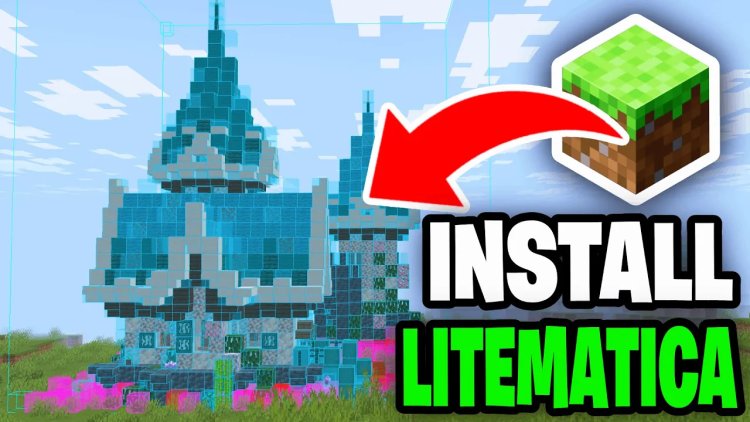
If you've ever wanted to recreate massive builds, transfer structures between worlds, or blueprint your next mega project in Minecraft, Litematica is the mod you need. It's the most powerful schematic and building tool available for Minecraft Java Edition — and in this guide, we'll show you exactly how to download and install Litematica for Minecraft 26.1 (Tiny Takeover).
The installation process takes less than 10 minutes and requires no prior modding experience. We'll cover every download, every step, and every potential confusion point so you can get straight to building.
How To Download Litematica For Minecraft 26.1 — Step by Step
Step 1: Download the Fabric Mod Loader
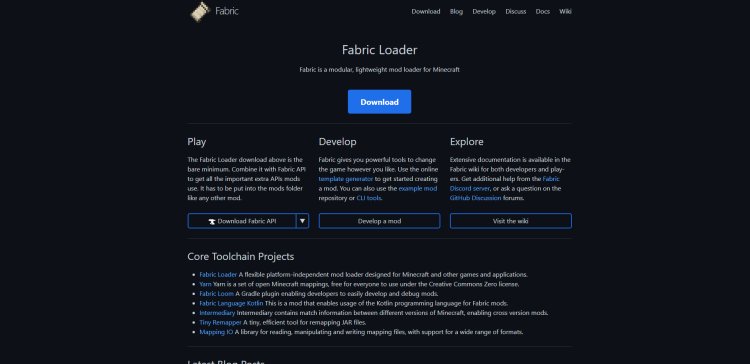
Litematica runs on the Fabric mod loader, so the first thing you need to do is download it. Head to the official Fabric website here: https://fabricmc.net/
Click Download Installer and make sure you select your Minecraft version — in this case, 26.1 — before downloading. Fabric is free and takes only a moment to install.
Step 2: Download the Litematica Mod
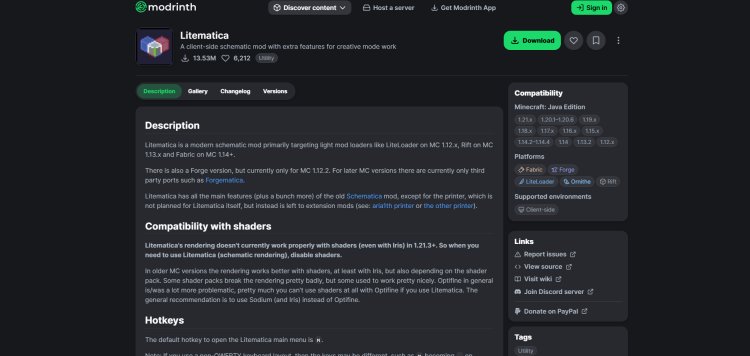
Next, download the Litematica mod itself. Get it from the official GitHub releases page here: https://modrinth.com/mod/litematica
On this page, find the release that matches your Minecraft version (26.1) and download the .jar file. Make sure you are downloading the correct version — using the wrong Minecraft version will cause the mod to fail to load.
Step 3: Download Malilib
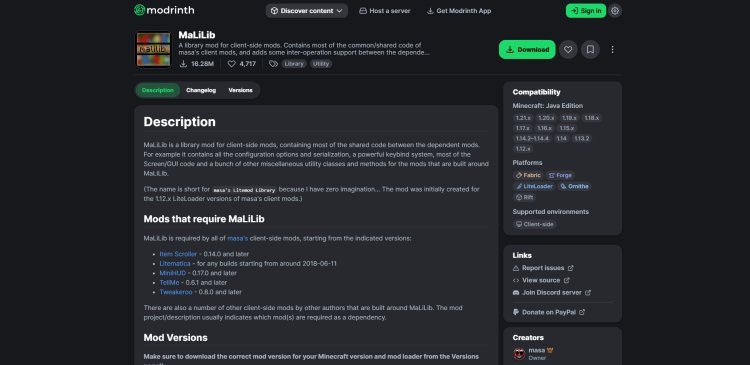
Malilib is a required dependency library that Litematica cannot run without. Download it here: https://modrinth.com/mod/malilib
Just like with Litematica, make sure you select the version of Malilib that matches Minecraft 26.1. Keeping your mod versions consistent with each other is critical — mismatched versions are the number one cause of Litematica not working.
Step 4: Download Java 21
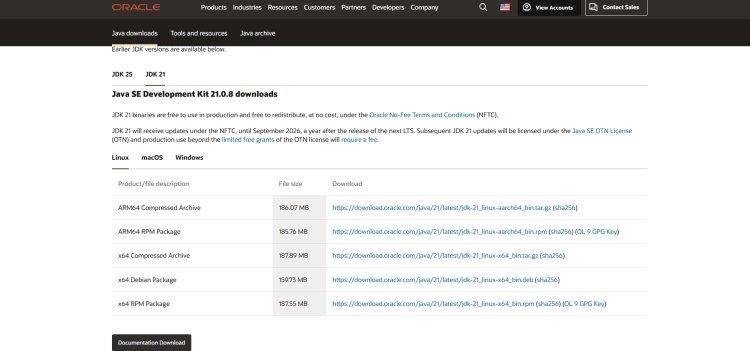
Java is required to run any modded version of Minecraft. If you don't already have Java 21 installed, download it here and select your operating system (Windows, macOS, or Linux): ???? https://www.oracle.com/java/technologies/downloads/#java21
If you already have Java 21 or newer on your machine, you can skip this step and move on.
Step 5: Open the Fabric Installer and Install
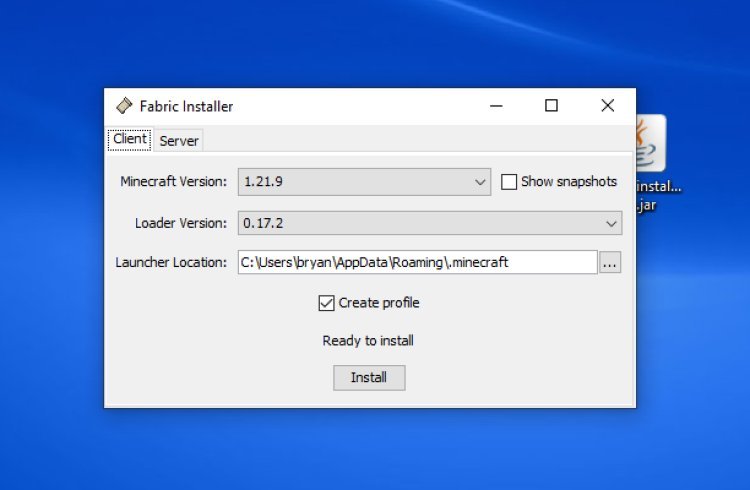
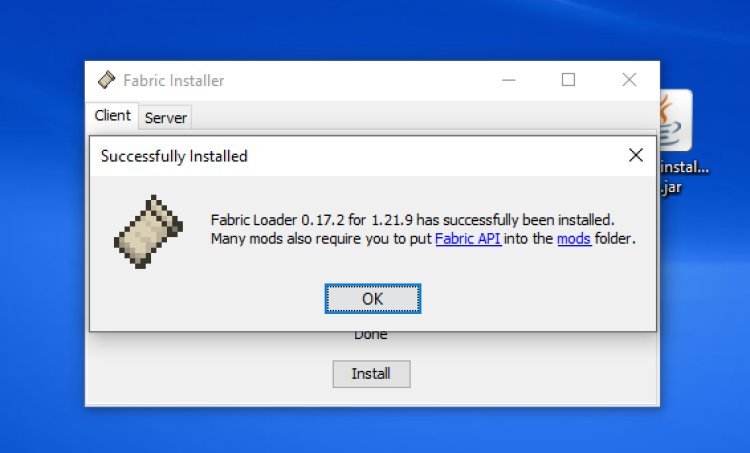
Locate the Fabric installer file you downloaded in Step 1. Right-click it, select Open With, and choose Java. The Fabric installer window will open. Select your Minecraft version (26.1) and click Install. The installation only takes a few seconds.
Step 6: Find the Fabric Profile in the Minecraft Launcher
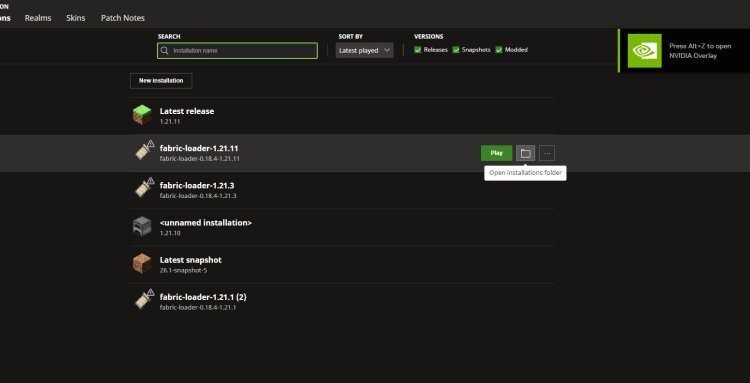
Open your Minecraft Launcher and go to the Installations tab. You'll see a new profile called fabric-loader (or similar) that was just created. Before launching it, make sure the "Modded" filter is turned on in your launcher so the Fabric installation is visible. This is the profile you'll use every time you want to play with Litematica.
Step 7: Add Litematica and Malilib to the Mods Folder
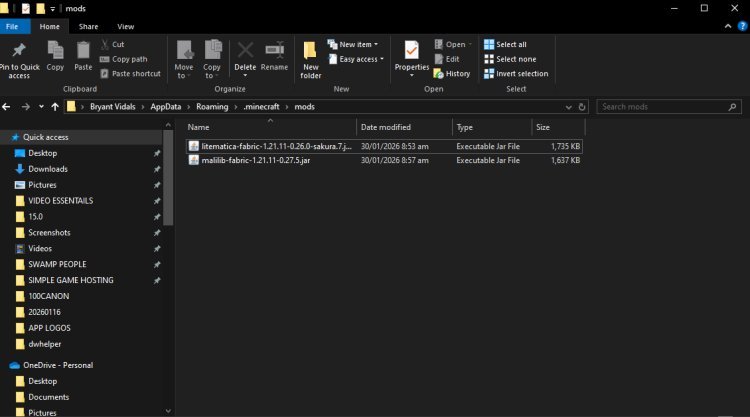
Click the folder icon next to your Fabric installation in the launcher to open the installation directory. Inside, look for a folder called mods (all lowercase). Open it, then drag and drop both your Litematica .jar file and your Malilib .jar file inside the mods folder. Both files need to be in there — Litematica will not launch without Malilib present.
Step 8: Launch Minecraft and Start Using Litematica
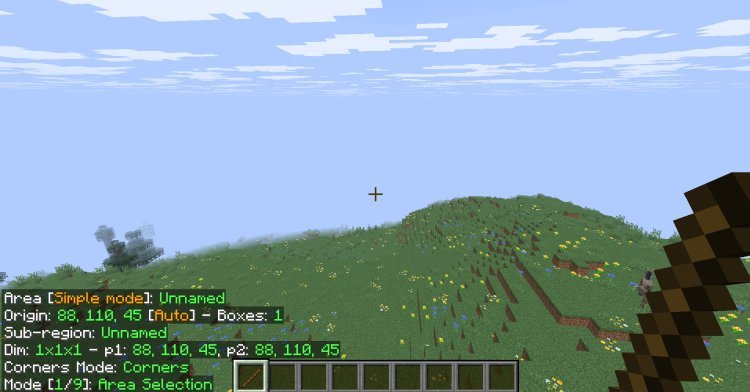
Close the mods folder, head back to your Minecraft Launcher, and launch the game using your Fabric profile. Once you're in-game, Litematica will be active. Press M (default keybind) to open the Litematica menu and start loading schematics or exploring the mod's features.
That's it — you're ready to build smarter.
Tips for Using Litematica in Minecraft 26.1
Always match your mod versions. Litematica, Malilib, and Fabric all need to be on the same Minecraft version. Mismatches will cause crashes or mods failing to load.
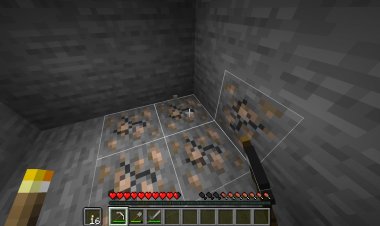
Use the Schematic Manager. Press M in-game to access Litematica's full menu. From here you can load .litematic schematic files, adjust placement, and toggle the hologram overlay on and off.
Download schematics from trusted sources. Websites like Litematica.org and build-sharing communities on Reddit and Planet Minecraft offer thousands of free schematics you can load directly into your world.
Litematica is client-side only. You do not need to install it on a server — it works entirely on your end, meaning you can use it on any server you play on.
All Download Links (Quick Reference)
- Fabric Mod Loader: https://fabricmc.net/
- Litematica Mod: https://modrinth.com/mod/litematica
- Malilib: https://modrinth.com/mod/malilib
- Java 21: https://www.oracle.com/java/technologies/downloads/#java21
Frequently Asked Questions
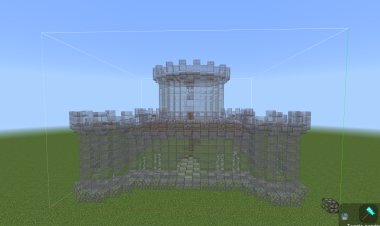
What is Litematica used for in Minecraft? Litematica is a schematic mod that lets you load ghost/hologram blueprints of builds into your Minecraft world. It's used for recreating builds, planning projects, and transferring structures between worlds.
Does Litematica work on Minecraft 26.1? Yes. This guide is specifically written for installing Litematica on Minecraft 26.1 (Tiny Takeover) using the Fabric mod loader.
What is Malilib and why do I need it? Malilib is a shared library mod that Litematica depends on to function. Without it, Litematica will not load. Always download the Malilib version that matches your Minecraft version.
Do I need Fabric to use Litematica? Yes. Litematica is a Fabric mod and requires the Fabric mod loader to run. You cannot use it with Forge or vanilla Minecraft.
Is Litematica allowed on servers? Litematica is a client-side only mod, meaning it only runs on your computer and doesn't affect the server. Most servers allow it, but always check a server's rules before using any mods.
Can I use Litematica in Survival mode? Absolutely. Litematica is designed with survival players in mind. You can load a schematic overlay and build directly on top of it block by block in full survival mode.
Where do I find schematic files for Litematica? You can find free Litematica schematics on Planet Minecraft, Reddit's r/Minecraft community, and various Minecraft building Discord servers.
What version of Java do I need for Litematica? Java 21 is recommended for running modded Minecraft 26.1. You can download it free at https://www.oracle.com/java/technologies/downloads/#java21
Final Thoughts
Installing Litematica for Minecraft 26.1 is straightforward when you follow these steps in order. The key things to remember are: use Fabric as your mod loader, always match your mod versions to your Minecraft version, and make sure both Litematica and Malilib are in your mods folder before launching.
Once it's set up, Litematica is one of the most useful tools in any Minecraft player's arsenal — whether you're a casual builder or running large-scale survival projects.
If this guide helped you, share it with a friend who's trying to get Litematica working too. Happy building.