Top 3 SIMPLE Texture Packs for Minecraft Bedrock 1.26 (Free Download)
 Asim_HeartxD
Top 3 SIMPLE Texture Packs for Minecraft Bedrock 1.26
Not every Minecraft player wants ultra-realistic graphics or flashy animations. Sometimes, a clean and simple texture pack can make the game look better while keeping everything easy to recognize and improving overall gameplay. Whether you're focused on survival, PvP, or simply prefer a minimalist style, simple texture packs offer a refreshing visual upgrade without changing Minecraft's classic feel.
We've selected the Top 3 SIMPLE Texture Packs for Minecraft Bedrock 1.26 that are lightweight, easy to install, and fully compatible with the latest version of Minecraft Bedrock Edition.
Keywords: Minecraft Bedrock 1.26, Simple Texture Packs, Minecraft Bedrock Texture Packs, Best Texture Packs for Minecraft Bedrock, Bare Bones Texture Pack, RGB XP Bar, Simple PvP Textures, Minecraft PE Texture Packs, MCPE Resource Packs, Minecraft 1.26, Bedrock Resource Packs, PvP Texture Packs, Minimal Texture Packs, Minecraft Graphics, Free Minecraft Texture Packs
3. Bare Bones Texture Pack
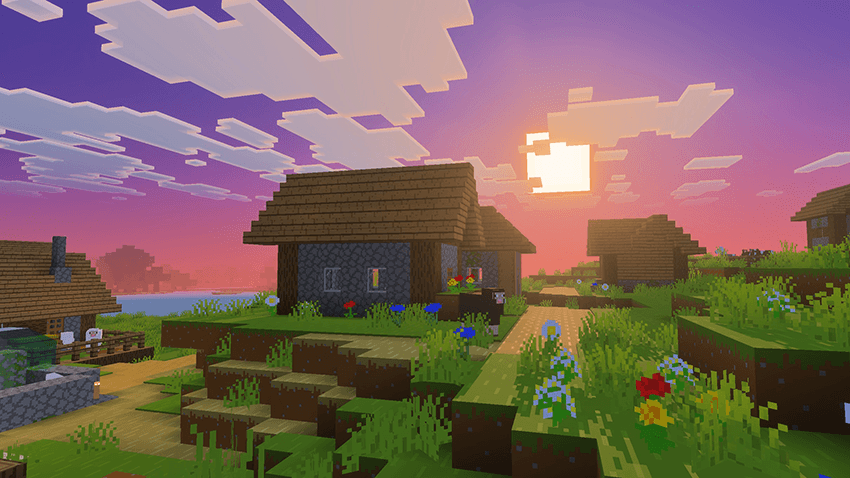
Inspired by the official Minecraft trailers, Bare Bones gives Minecraft Bedrock a clean, colorful, and simplified appearance. The pack removes unnecessary texture details and replaces them with smooth, vibrant designs that closely match Mojang's promotional artwork.
Bare Bones is perfect for players who enjoy a modern and minimalistic look while maintaining excellent performance on both low-end and high-end devices. The simplified textures also make building and exploring feel fresh without changing Minecraft's original gameplay.
Features
- Clean and colorful textures
- Inspired by Minecraft's official trailers
- Lightweight and optimized
- Smooth performance on all devices
- Great for survival and creative worlds
Download
https://mcpedl.com/bare-bones-be/
2. RGB XP Bar
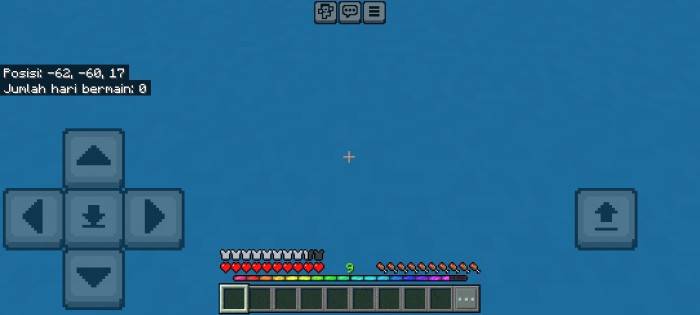
The RGB XP Bar is a small but fun resource pack that gives your Minecraft experience bar a colorful RGB animation. While it doesn't replace all textures, it adds a stylish visual effect that makes the game's interface look more modern and unique.
If you enjoy customizing Minecraft's user interface without affecting gameplay, this lightweight pack is an excellent choice. It works well alongside almost any other texture pack, making it easy to personalize your Minecraft experience.
Features
- Animated RGB experience bar
- Colorful and modern interface
- Lightweight resource pack
- Compatible with most other texture packs
- No impact on gameplay performance
Download
https://mcpedl.com/rgb-xp-bar-b69/
1. Simple PvP Textures
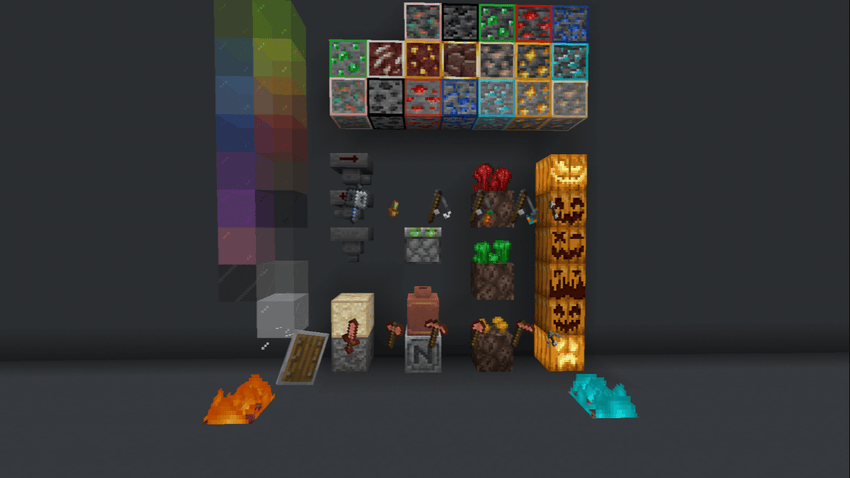
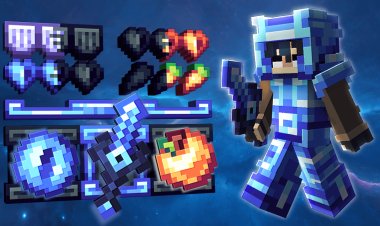
For players who spend most of their time battling on multiplayer servers, Simple PvP Textures is one of the best minimalist resource packs available. It simplifies many in-game textures while making weapons, armor, ores, and important items easier to identify during combat.
The clean design helps reduce visual distractions, allowing players to focus on fast-paced PvP fights. It's an excellent option for Bedwars, SkyWars, Survival Games, and other competitive game modes.
Features
- Optimized for PvP gameplay
- Cleaner and easier-to-see textures
- Improved item visibility
- Lightweight and FPS-friendly
- Ideal for multiplayer servers
Download
https://mcpedl.com/simple-pvp-textures/
Why Use Simple Texture Packs?
Simple texture packs improve Minecraft without dramatically changing its appearance. They focus on clean visuals, better readability, and improved performance, making them a great choice for both casual and competitive players.
Benefits include:
- Cleaner graphics
- Better FPS on low-end devices
- Easier-to-recognize blocks and items
- Minimal visual clutter
- Better PvP visibility
- Modern user interface improvements
Whether you're playing on Windows, Android, or another Bedrock-supported platform, these texture packs offer a lightweight way to refresh your Minecraft experience.
How to Install Texture Packs on Minecraft Bedrock
Installing a texture pack is quick and easy.
- Download your preferred texture pack using the links above.
- Open the downloaded
.mcpackfile. - Minecraft Bedrock Edition will launch automatically.
- Wait for the resource pack to import.
- Open Settings or Global Resources.
- Activate the texture pack.
- Enjoy your new Minecraft look.
Frequently Asked Questions (FAQ)
Which is the best simple texture pack for Minecraft Bedrock 1.26?
Simple PvP Textures is the best option for competitive players, while Bare Bones is perfect for players who want a clean and colorful Minecraft experience.
Is Bare Bones good for survival?
Yes. Bare Bones keeps Minecraft's original gameplay while making the world look cleaner and more vibrant, making it an excellent choice for survival mode.
Can I use RGB XP Bar with other texture packs?
Yes. RGB XP Bar is designed to work alongside most other resource packs since it mainly changes the experience bar interface.
Do these texture packs improve FPS?
Most simple texture packs are lightweight and can help improve performance, especially on lower-end devices.
Are these texture packs free?
Yes. All three resource packs featured in this article are available to download for free.
Do these texture packs work on Minecraft Bedrock 1.26?
Yes. They are compatible with Minecraft Bedrock Edition 1.26 and support the latest Bedrock updates.