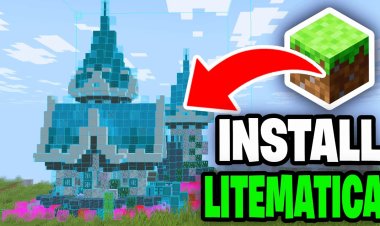
How To Download Litematica For Minecraft Bedrock (2026 Guide)
 mcpecentraladmin
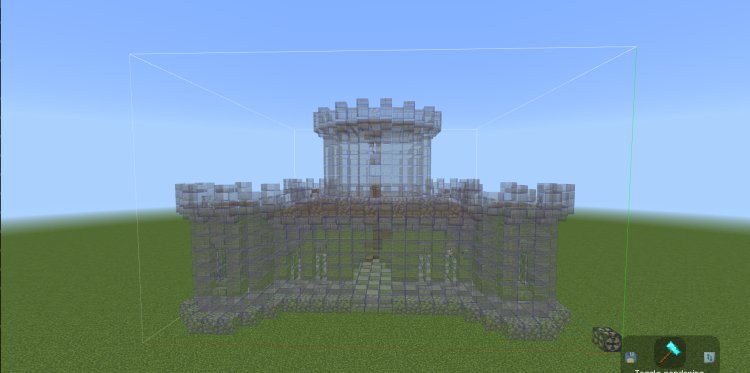
How To Download Litematica For Minecraft Bedrock (2026 Guide)
If you play Minecraft Java Edition, you already know how powerful Litematica is. It lets you load in ghost images of builds — called schematics — so you can follow them block by block like a blueprint. The problem is that Litematica does not exist for Minecraft Bedrock Edition. It is a Java-only mod, and Bedrock does not support mods the same way.
But here is the good news: there is a workaround that gets you extremely close to the same result. By using a free hologram texture pack method, you can load schematic blueprints directly into your Minecraft Bedrock world as a see-through hologram overlay. No mods required, no launcher needed, and it works on Windows 10, Windows 11, Xbox, mobile, and any other platform running Bedrock.
This guide will walk you through exactly how to do it step by step.
What Is Litematica and Why Doesn't It Work On Bedrock?
Litematica is a Java Edition mod developed for the Fabric mod loader. It allows players to import schematic files into their game as a translucent hologram, making it easy to replicate large or complex builds with precision. Builders use it for everything from survival houses to massive redstone contraptions to detailed pixel art.
Because Minecraft Bedrock Edition runs on a completely different codebase than Java, Litematica cannot be installed on Bedrock. Bedrock uses add-ons and resource packs instead of mods, which limits what third-party tools can do natively inside the game.
However, a tool called HoloPrint solves this problem by converting schematic files into Bedrock-compatible resource packs that render as in-game holograms. The result looks and functions very similarly to how Litematica works in Java — you get a ghost image of your build floating in your world that you can place and follow block by block.
How To Get Litematica On Minecraft Bedrock Using HoloPrint
Step 1: Find and Download a Schematic From StructuraLab
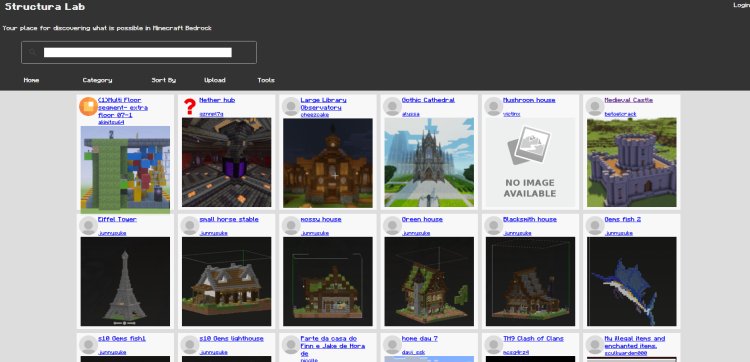
The first thing you need is a schematic file. Head over to StructuraLab at https://structuralab.com/#gsc.tab=0 — this is a free library of Minecraft schematics you can search and download.
When browsing for builds, make sure that the file you download ends in .mcstructure. This is the Bedrock-compatible structure format and the one that HoloPrint requires to work properly. Some schematic sites offer Java-format files like .litematic or .nbt — those will not work for this method. Stick to .mcstructure files only.
StructuraLab hosts a wide variety of builds including houses, farms, castles, modern builds, redstone contraptions, and more. Once you find one you want to build, download the .mcstructure file to your device.
Step 2: Convert the Schematic Into a Resource Pack Using HoloPrint
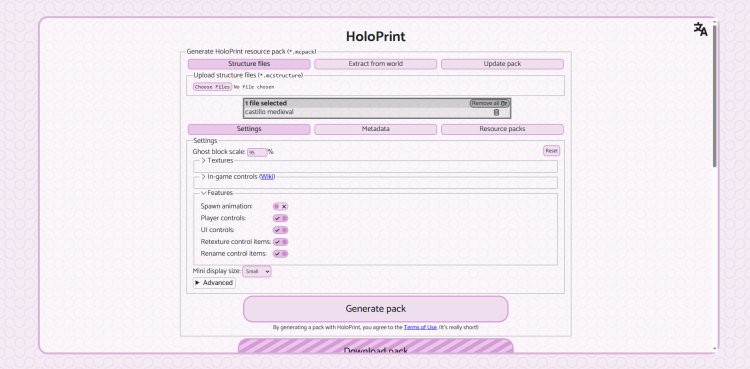
Once you have your .mcstructure file, go to HoloPrint at https://holoprint-mc.github.io/
HoloPrint is a free browser-based tool that reads your .mcstructure file and automatically generates a custom Minecraft Bedrock resource pack built specifically around that schematic.
All you have to do is drag and drop your .mcstructure file into the HoloPrint website. The tool will process it and produce a ready-to-use resource pack file that you can import directly into Minecraft Bedrock. The entire process takes just a few seconds depending on the size of the build.
This is where the magic happens. HoloPrint essentially encodes the entire schematic into a resource pack that Bedrock can read, allowing it to render as a 3D hologram inside your game world.
Step 3: Load the Resource Pack Into Minecraft Bedrock
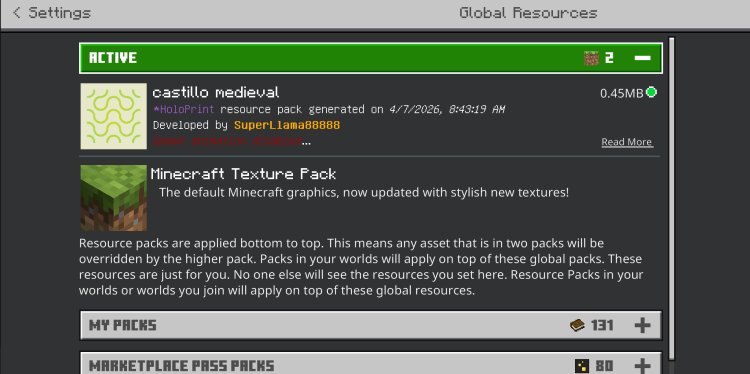
After HoloPrint generates your resource pack, download it to your device and import it into Minecraft Bedrock Edition.
To do this, locate the downloaded resource pack file and open it — Bedrock should automatically detect and import it into the game. From there, go to your world settings, navigate to the Resource Packs section, and activate the pack for the world you want to build in. Load into that world once the pack is applied.
Step 4: Place an Armor Stand To Activate the Hologram
Once you are inside your world with the resource pack loaded, find the spot where you want your hologram to appear and place an armor stand on the ground.
As soon as the armor stand is placed, the hologram of your schematic will appear. This is your blueprint — a transparent, full-size ghost image of the build that you can see and build around just like Litematica in Java Edition.
From there you can adjust the hologram's position and orientation using in-game items as tools. Items like an iron ingot and a stick give you control over placement, letting you shift and rotate the hologram until it lines up exactly where you want to build.
Why This Method Works So Well
What makes HoloPrint stand out compared to other Bedrock building tools is that it requires zero mods, zero paid add-ons, and works across every version of Minecraft Bedrock Edition. Whether you are on PC, console, or mobile, if you can load a resource pack, you can use this method.
The hologram it produces is accurate to the original schematic, meaning you get a true block-by-block guide overlaid on your world. For anyone who has ever struggled to replicate a build from a YouTube tutorial or a screenshot, this is genuinely one of the best tools available for Minecraft Bedrock in 2026.
Frequently Asked Questions
Can you get Litematica on Minecraft Bedrock? No, Litematica is a Java Edition-only mod and cannot be installed on Bedrock. However, HoloPrint replicates its core functionality using resource packs, which are fully supported on Bedrock.
What file type do I need for HoloPrint? You need a .mcstructure file. You can find these on StructuraLab at https://structuralab.com/#gsc.tab=0
Does this work on Xbox, mobile, and console Bedrock? Yes. As long as your platform supports resource packs, the HoloPrint method works.
Is HoloPrint free? Yes. Both StructuraLab and HoloPrint are completely free to use.
Does the hologram show every block accurately? HoloPrint renders the hologram directly from the .mcstructure data, so it is an accurate representation of the original schematic.
Final Thoughts
Litematica for Minecraft Bedrock does not officially exist, but the HoloPrint method is the closest thing to it available right now. By grabbing a .mcstructure file from StructuraLab, converting it with HoloPrint, and loading the resource pack into your world, you get a fully functional in-game hologram blueprint that makes building complex structures significantly easier.
If you are serious about building in Minecraft Bedrock Edition, this is one of the most useful tools you can add to your workflow in 2026.