How To Get Minimap in Minecraft Bedrock (2026) – Step-by-Step Guide
 mcpecentraladmin
How To Get Minimap in Minecraft Bedrock (2026) – Step-by-Step Guide
If you’ve been searching for how to get a minimap in Minecraft Bedrock Edition, you’re not alone. Unlike Java Edition (which has mods like Xaero’s Minimap), Bedrock doesn’t include a built-in minimap feature. However, you can easily add one using an addon.
In this guide, you’ll learn how to download, install, and use the Explorer’s World Map addon, which adds a working minimap and full world map to Minecraft Bedrock.
Addon Creator: Minecart7
Support the Creator (Ko-fi): https://ko-fi.com/P5P01LRFTT
Full credit to Minecart7 for developing this addon.
What Is Explorer’s World Map?
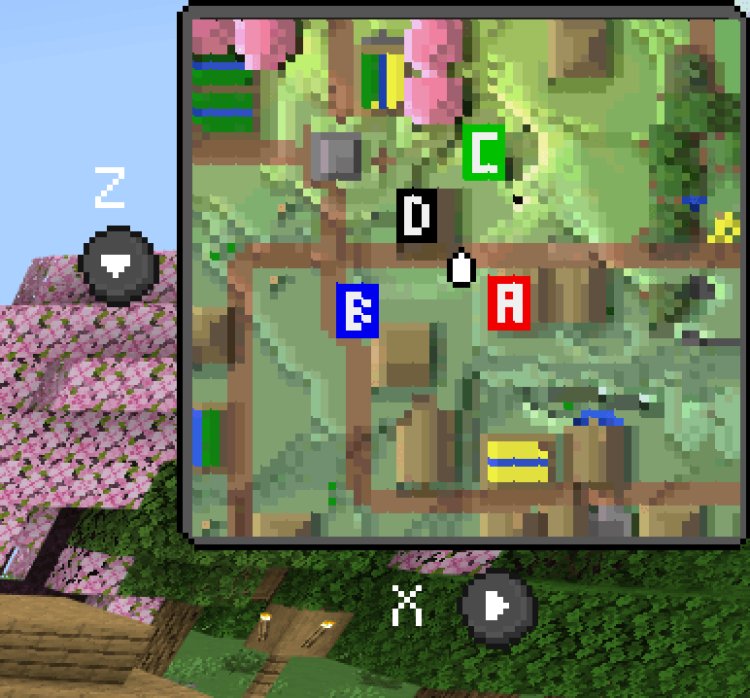
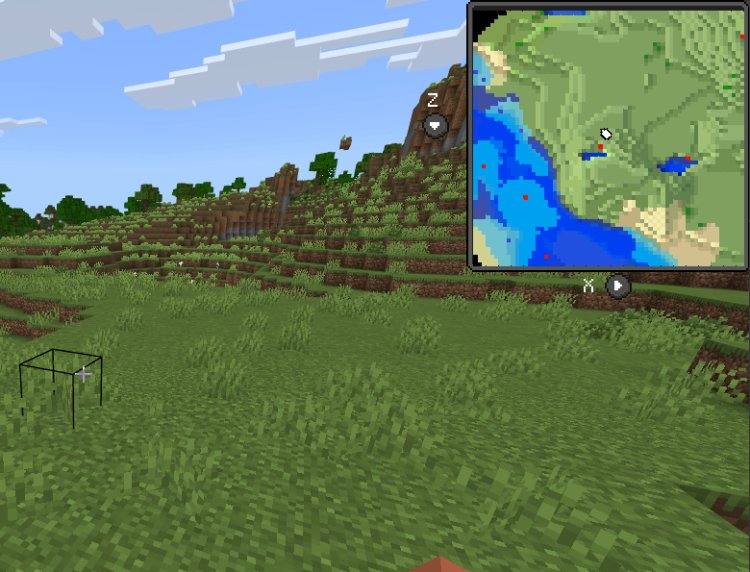
Explorer's World Map is a Minecraft Bedrock addon that adds:
-
A live minimap in the corner of your screen
-
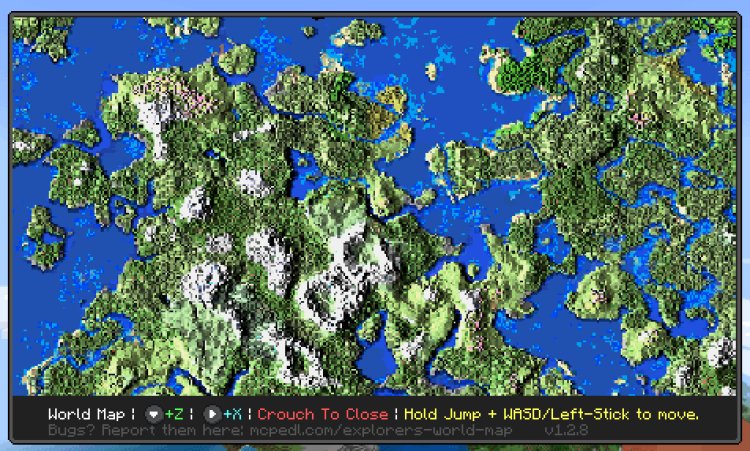
A full-screen world map
-
Exploration-based map revealing
-
Custom map settings
-
Multiplayer compatibility
This addon works on Minecraft Bedrock Edition for Windows 10/11, Android, iOS, and consoles that support addon importing.
How To Download the Minimap Addon
You can download the addon here:
MCPEDL page:
https://mcpedl.com/explorers-world-map/
Step 1: Open the Download Page
Go to the MCPEDL link above.
Step 2: Scroll to the Download Section
Select the version that matches your Minecraft Bedrock version (for example 1.21+).
Step 3: Download the File
Download the .mcaddon or .mcpack file to your device.
How To Install Minimap in Minecraft Bedrock
On Windows 10 / 11
-
Double-click the downloaded
.mcaddonfile. -
Minecraft Bedrock will automatically open and import it.
-
Wait for the “Successfully Imported” message.
On Android
-
Download the addon file.
-
Tap the file in your Downloads folder.
-
Choose to open it with Minecraft.
-
Wait for the import confirmation.
On iOS
-
Download the file using Safari.
-
Tap the file and choose “Open in Minecraft.”
-
Wait for the import to finish.
How To Enable the Minimap in Your World
After importing:
-
Go to Play
-
Create a new world (or edit an existing one)
-
Scroll to Resource Packs → My Packs → Activate
-
Scroll to Behavior Packs → My Packs → Activate
-
Turn on required Experimental Features (if prompted)
Note: Enabling experimental features may disable achievements in that world.
How To Use the Minimap In-Game
Once inside your world, you can use commands to control the map system.
Common commands include:
-
/minimap show– Shows the minimap -
/minimap hide– Hides the minimap -
/map– Opens the full world map -
/settings– Opens personal minimap settings -
/config– Opens advanced addon settings
You can customize position, zoom level, and other interface options from the settings menu.
Why Use a Minimap in Minecraft Bedrock?
Adding a minimap gives you:
-
Better navigation
-
Easier biome tracking
-
Faster base locating
-
Improved multiplayer coordination
-
A Java-style experience in Bedrock
For survival players, SMP servers, and large world explorers, this addon makes navigation significantly easier.
Full Credit to the Creator
This addon was created by Minecart7. If you enjoy using Explorer’s World Map, consider supporting the creator here:
Supporting addon developers helps them continue updating projects for future Minecraft Bedrock versions.
Final Thoughts
If you were wondering how to get a minimap in Minecraft Bedrock, the Explorer’s World Map addon is currently one of the best solutions available. It adds a clean, customizable minimap and world map system without needing external mods or complicated setups.
Download it, activate it in your world settings, and you’ll instantly have a working minimap in Minecraft Bedrock Edition.