How To Download & Install Full Bright For Minecraft 26.2 (PC)
Learn how to download and install Full Bright for Minecraft 26.2 on PC. Follow this simple step-by-step guide to see clearly in caves, mines, and dark areas without using torches.
 mcpecentraladmin
How To Download & Install Full Bright For Minecraft 26.2 (PC)
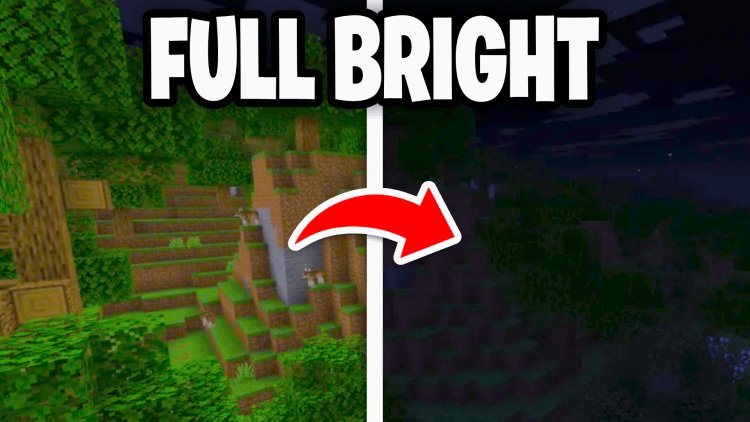
Want to explore caves without placing torches everywhere? Full Bright is one of the most popular resource packs for Minecraft because it removes darkness and allows you to see clearly underground, at night, and in dark structures.
In this guide, we'll show you exactly how to download and install Full Bright for Minecraft 26.2 on PC in just a few minutes.
What Is Full Bright in Minecraft?
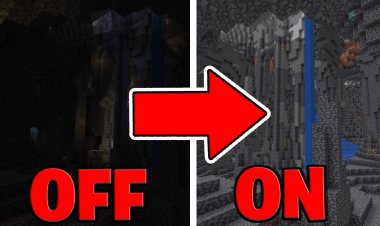
Full Bright is a Minecraft resource pack that increases brightness levels, allowing players to see in dark environments without relying on torches or Night Vision potions.
With Full Bright enabled, you can:
- Explore caves more easily
- See clearly at night
- Navigate abandoned mineshafts
- Find ores faster
- Improve overall visibility
- Build comfortably in dark areas
It's one of the most downloaded quality-of-life resource packs for Minecraft Java Edition.
Step 1: Download the Full Bright Resource Pack
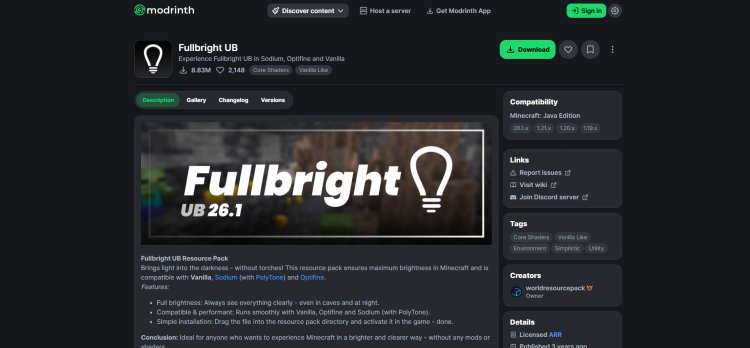
First, download the Full Bright resource pack.
Download Link:
https://modrinth.com/resourcepack/fullbright-ub
Once downloaded, keep the ZIP file on your computer.
Important: Do not extract the ZIP file.
Step 2: Launch Minecraft 26.2
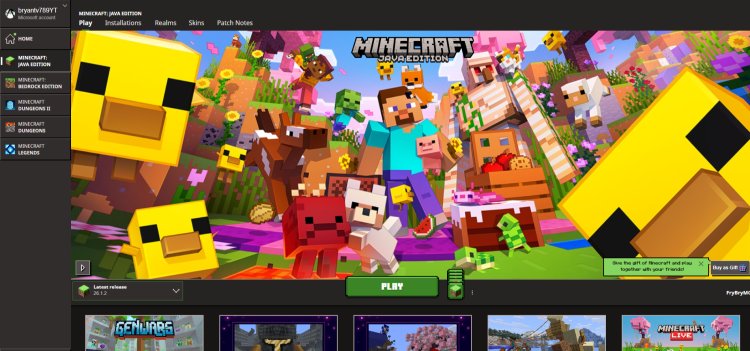
Open the Minecraft Launcher.
- Select Minecraft 26.2.
- Click Play.
- Wait for Minecraft to reach the main menu.
Step 3: Open the Resource Pack Folder
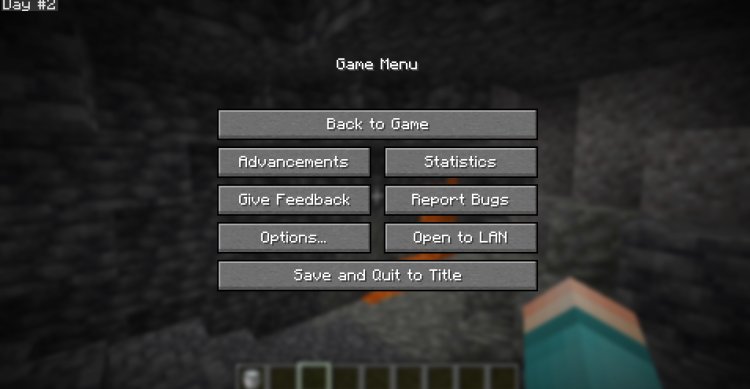
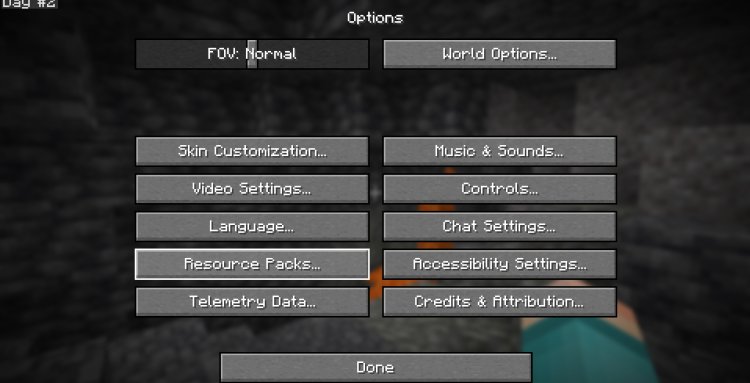
From Minecraft:
- Click Options.
- Select Resource Packs.
- Press Open Pack Folder.
Minecraft will open your Resource Packs directory automatically.
Step 4: Install Full Bright
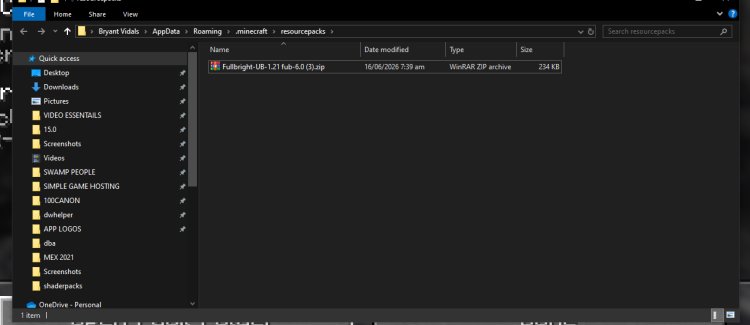
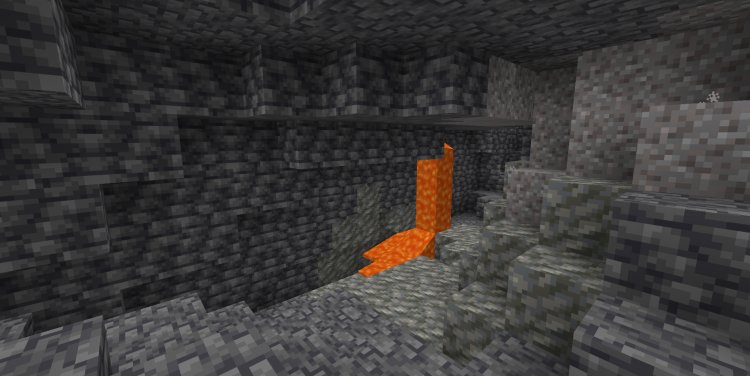
Now it's time to install the pack.
- Locate the Full Bright ZIP file you downloaded.
- Drag and drop it into the Resource Packs folder.
- Return to Minecraft.
The pack should now appear in the list of available resource packs.
Step 5: Activate Full Bright
To enable the pack:
- Click the Full Bright resource pack.
- Move it to the active section.
- Press Done.
Minecraft will reload its resources.
Once finished, dark areas should become significantly brighter.
Why Use Full Bright?
Full Bright is incredibly popular because it:
- Improves visibility instantly
- Works without mods
- Is easy to install
- Helps during mining sessions
- Makes caves easier to navigate
- Enhances survival gameplay
- Works as a simple resource pack
Many players use Full Bright daily because of the convenience it offers.
Troubleshooting
Full Bright Doesn't Show Up
Make sure:
- The file is inside the Resource Packs folder.
- The ZIP file has not been extracted.
- Minecraft has been refreshed or restarted.
The Pack Is Marked Incompatible
Try downloading the newest version of the resource pack from Modrinth.
The Brightness Isn't Changing
Disable conflicting resource packs and reload Minecraft resources.
Conclusion
Installing Full Bright for Minecraft 26.2 is incredibly easy. Simply download the resource pack, place it inside your Resource Packs folder, enable it from Minecraft's settings, and enjoy much brighter gameplay. Whether you're mining for diamonds, exploring caves, or building at night, Full Bright can significantly improve your Minecraft experience.
Frequently Asked Questions (FAQ)
Is Full Bright free for Minecraft?
Yes. The Full Bright resource pack is completely free to download and use.
Does Full Bright work on Minecraft 26.2?
Yes. Full Bright is compatible with Minecraft Java Edition and modern versions, including Minecraft 26.2.
Do I need Forge or Fabric?
No. Full Bright is a resource pack and does not require any mods.
Where do I put the Full Bright ZIP file?
Place it directly inside Minecraft's Resource Packs folder.
Should I extract the ZIP file?
No. Keep the file in ZIP format before installing it.
Does Full Bright affect FPS?
No. Full Bright is lightweight and generally has little to no impact on performance.
Is Full Bright better than using torches?
Many players prefer Full Bright because it improves visibility everywhere without needing to place torches constantly.
Can I use Full Bright on multiplayer servers?
Most servers allow resource packs, but always review server rules if you are unsure.