Top 3 Survival Texture Packs for Minecraft Bedrock 1.26.30
 Asim_HeartxD
Top 3 Survival Texture Packs for Minecraft Bedrock 1.26.30
Survival mode is where Minecraft truly shines, and the right texture pack can make your adventures even more enjoyable. Whether it's giving blocks a realistic 3D appearance, making glass nearly invisible for cleaner builds, or improving block selection while mining and building, survival texture packs offer useful visual enhancements without changing Minecraft's core gameplay.
In this article, we've selected the Top 3 Survival Texture Packs for Minecraft Bedrock 1.26.30 that improve immersion, building, and everyday survival while remaining lightweight and fully compatible with the latest Bedrock update.
Keywords: Minecraft Bedrock 1.26.30, Survival Texture Packs, Minecraft Bedrock Texture Packs, Best Survival Texture Packs, Vanilla 3D Pack, Better Glass, White Outline Selection, Minecraft PE Texture Packs, MCPE Resource Packs, Bedrock Resource Packs, Minecraft 1.26.30, Minecraft Survival, Vanilla Texture Packs, Free Minecraft Texture Packs, Quality of Life Texture Packs
3. Vanilla 3D Pack
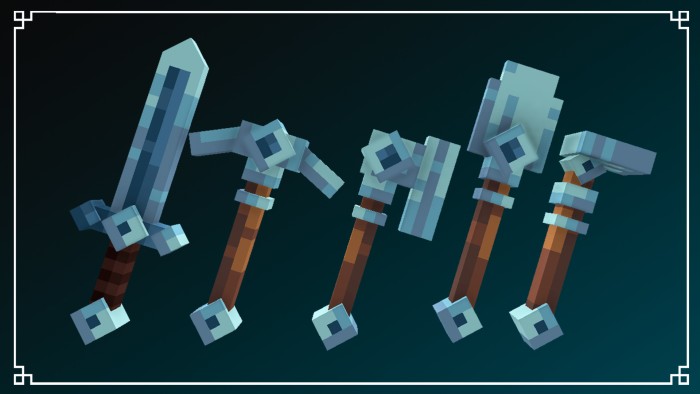
Vanilla 3D Pack transforms Minecraft's default textures by adding realistic 3D models to many blocks and items while keeping the original vanilla art style. Objects like crops, plants, ladders, rails, tools, and decorative blocks gain extra depth, making the world feel much more alive without affecting gameplay.
Unlike high-resolution texture packs, Vanilla 3D preserves Minecraft's classic appearance while adding impressive visual detail that works perfectly in survival worlds.
Features
- Adds realistic 3D models to vanilla blocks
- Maintains Minecraft's original style
- Improves immersion and world detail
- Lightweight and optimized
- Perfect for survival and creative mode
Download
https://mcpedl.com/vanilla-3d-pack/
2. Better Glass
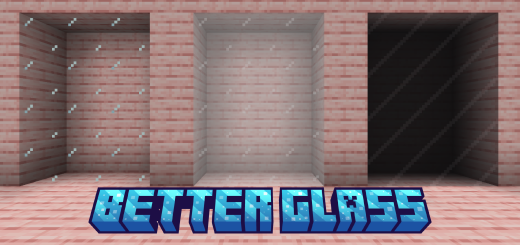
Glass is one of the most commonly used building materials in Minecraft, but the default borders can interrupt the look of large windows. Better Glass solves this by removing unnecessary glass borders and creating seamless connected textures that make windows look much cleaner and more realistic.
Whether you're building modern houses, skyscrapers, or massive survival bases, Better Glass gives every structure a polished and professional appearance.
Features
- Seamless connected glass textures
- Cleaner building aesthetics
- Compatible with most texture packs
- Lightweight resource pack
- Perfect for survival builders
Download
https://mcpedl.com/better-glass-compatible-to-all-versions-texture-pack/
1. White Outline Selection
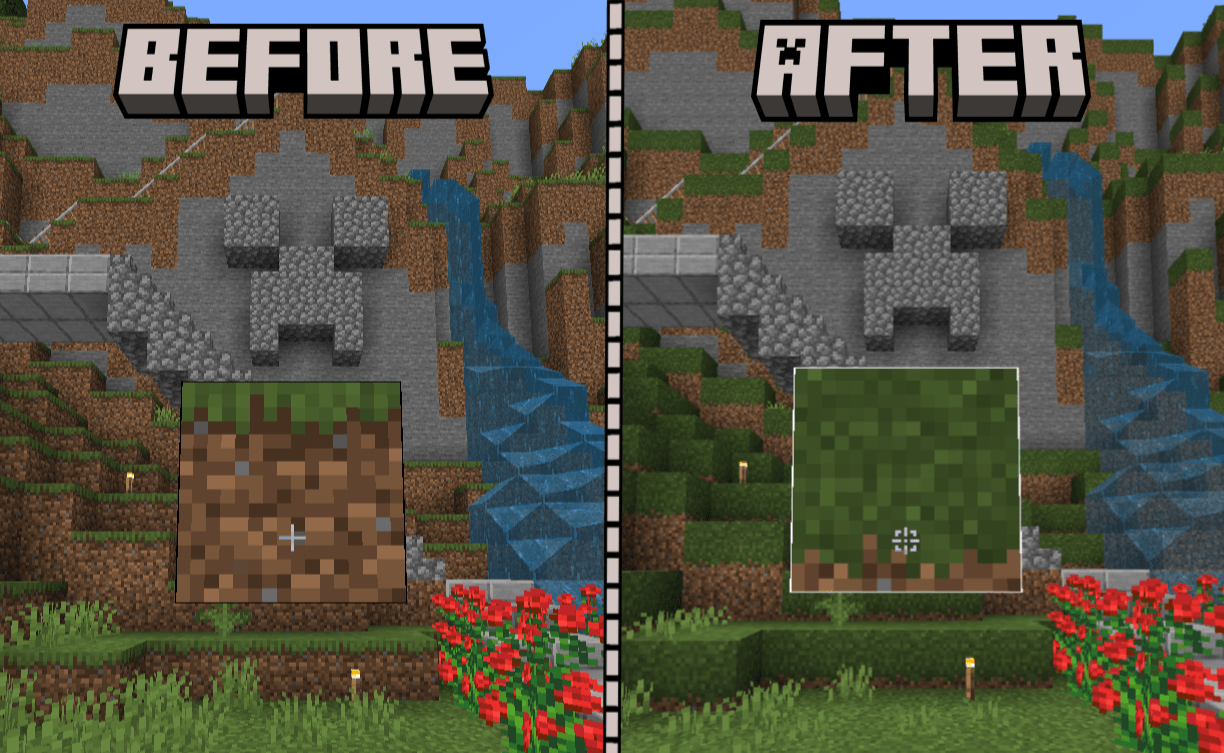
Taking the number one spot is White Outline Selection, a simple but incredibly useful texture pack that replaces Minecraft's default black block selection outline with a bright white outline. This small visual change makes it much easier to see exactly which block you're targeting, especially in dark caves, underwater environments, or bright outdoor areas.
For survival players who spend hours mining, building, and farming, this improvement makes block placement and breaking much more precise and comfortable.
Features
- Bright white block selection outline
- Better visibility in all environments
- Improves building accuracy
- Great for mining and survival gameplay
- Lightweight and easy to install
Download
https://mcpedl.com/white-outline-selection/
Why Use Survival Texture Packs?
Survival texture packs enhance Minecraft by improving visibility, immersion, and building without changing the game's mechanics. They focus on quality-of-life improvements that make everyday survival more enjoyable.
Benefits include:
- Better building experience
- Improved block visibility
- More immersive environments
- Cleaner textures
- Enhanced world detail
- Lightweight performance
Whether you're building a massive survival base or exploring new caves, these texture packs make Minecraft Bedrock more enjoyable without affecting vanilla gameplay.
How to Install Texture Packs on Minecraft Bedrock
Installing texture packs is simple.
- Download your preferred texture pack using the links above.
- Open the downloaded
.mcpackfile. - Minecraft Bedrock Edition will automatically import the resource pack.
- Go to Settings or Global Resources.
- Activate the texture pack.
- Enter your world and enjoy your improved survival experience.
Frequently Asked Questions (FAQ)
Which is the best survival texture pack for Minecraft Bedrock 1.26.30?
White Outline Selection is one of the most useful survival texture packs because it improves block targeting, making mining and building much easier.
Does Vanilla 3D change Minecraft's gameplay?
No. Vanilla 3D only improves the appearance of blocks and items by adding realistic 3D models while preserving the original gameplay.
Can Better Glass be used with other texture packs?
Yes. Better Glass is compatible with many other resource packs and is commonly combined with them for cleaner-looking windows.
Do these texture packs affect FPS?
No. These packs are lightweight and generally have little to no impact on performance, making them suitable for most devices.
Are these texture packs free?
Yes. All three texture packs featured in this article are available as free downloads using the official links provided above.
Do these texture packs work on Minecraft Bedrock 1.26.30?
Yes. They are compatible with Minecraft Bedrock Edition 1.26.30 and support the latest Bedrock updates.