Top 3 SHADERS For Low End Devices – Minecraft PE/Bedrock
 mcpecentraladmin
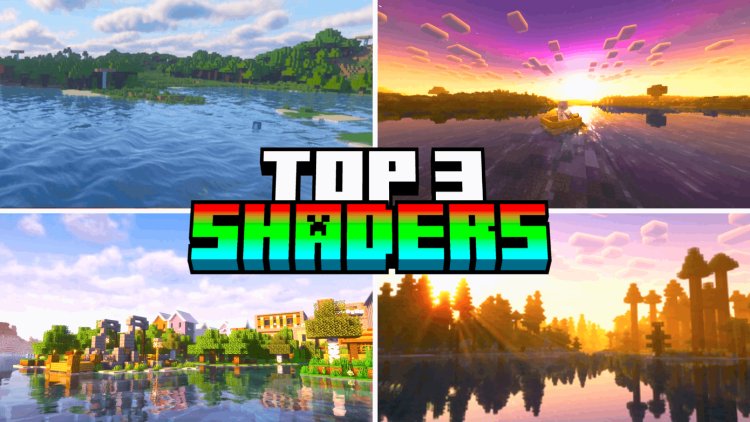
Top 3 SHADERS For Low End Devices – Minecraft PE/Bedrock
Looking for the best shaders for low end devices in Minecraft PE or Minecraft Bedrock Edition?
If you are playing Minecraft on an older Android phone, iPhone, tablet, or lower-end Windows PC, you probably want better graphics without making Minecraft impossible to play.
The good news is that you do not always need a powerful gaming PC to improve Minecraft's graphics. There are lightweight and performance-focused shader packs that can add better lighting, skies, shadows, fog, water effects, and atmosphere while keeping the game playable on less powerful hardware.
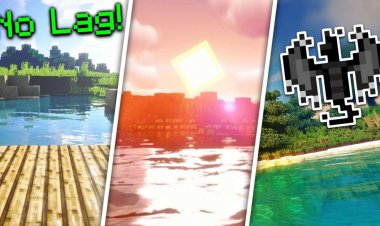
In this article, we are looking at the Top 3 shaders for low end devices in Minecraft Bedrock Edition:
- Newb Aero
- BSLB Dreamy Visuals
- WarmLight Shaders
These shaders are worth checking out if you want Minecraft Bedrock shaders for low-end PCs, Android phones, iPhones, and other supported devices.
Important: No shader can guarantee perfect FPS on every device. Performance depends on your GPU, CPU, RAM, Minecraft version, render distance, and graphics settings.
What Are the Best Minecraft Shaders for Low End Devices?
Here are the three shaders featured in this list:
| Rank | Shader | Best For |
|---|---|---|
| #3 | WarmLight Shaders | Lightweight lighting effects |
| #2 | BSLB Dreamy Visuals | Realistic and dreamy graphics |
| #1 | Newb Aero | Realistic graphics with a performance-friendly design |
3. WarmLight Shaders
Download WarmLight Shaders
Download WarmLight Shaders on MCPEDL
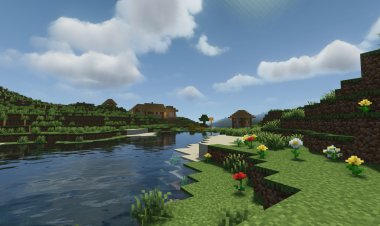
WarmLight Shaders is a lightweight Minecraft Bedrock shader that focuses on improving the game's lighting and overall atmosphere.
The pack was published in July 2026 and received an update in September 2026. Its current MCPEDL file is only about 3.16 MB, which makes it one of the smaller packs on this list.
WarmLight is categorized by MCPEDL under Shaders, Simplistic, and Themed.
Why Try WarmLight Shaders?
If you have a lower-end device, you may not want a huge resource pack with extremely demanding graphics effects.
WarmLight is worth testing because it keeps its download relatively small while still giving Minecraft a different visual appearance.
WarmLight Shaders Features
- Lightweight shader pack
- Improved lighting
- Atmospheric visual effects
- Simplistic visual style
- Minecraft Bedrock support
- Android installation guide
- iOS installation guide
- Windows 10 installation guide
- Small download size
MCPEDL currently lists installation guides for Android, iOS, and Windows 10.
Is WarmLight Good for Low End Devices?
WarmLight can be a good shader to test if you are trying to keep your Minecraft installation lightweight.
However, the small file size does not automatically mean that every low-end device will get high FPS. Shader performance depends on the graphics effects being rendered and the hardware inside your device.
If your FPS drops, lower your render distance and other graphics settings.
2. BSLB Dreamy Visuals
Download BSLB Dreamy Visuals
Download BSLB Dreamy Visuals on MCPEDL
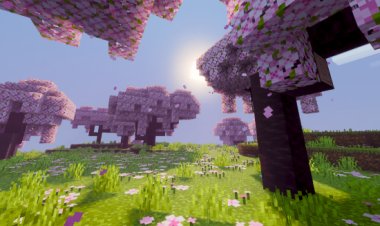
BSLB Dreamy Visuals is a Minecraft Bedrock visual pack designed to give the game a more realistic and dreamy appearance.
MCPEDL categorizes the pack under Enhanced Visuals, Realistic, and Shaders. It also has both 16x and 32x options.
The current MCPEDL listing shows more than 1.6 million downloads, and the latest listed file is approximately 14.22 MB. The pack was updated on September 19, 2026.
BSLB Dreamy Visuals Features
The pack focuses on improving the atmosphere of Minecraft rather than completely changing the game's appearance.
Depending on the version and settings, the visual experience can include effects such as:
- Enhanced lighting
- Improved skies
- Atmospheric fog
- Realistic visual effects
- Dreamy colors
- Water effects
- Nighttime atmosphere
- Enhanced environment
- 16x option
- 32x option
The MCPEDL page also includes installation guides for Android, iOS, and Windows 10.
Which BSLB Version Should You Use?
If your device is struggling with the higher-quality version, using the lower-resolution option can be a reasonable place to start.
A lower-resolution texture option can reduce the amount of texture data your device needs to handle, although your actual FPS will still depend on your hardware and Minecraft settings.
BSLB Dreamy Visuals is especially interesting if you want realistic Minecraft graphics without using an enormous texture pack.
1. Newb Aero
Download Newb Aero
At #1 is Newb Aero.
Newb Aero is a Minecraft Bedrock shader focused on improving lighting, skies, water, shadows, and other visual effects.
The current MCPEDL page lists Newb Aero as Realistic, Shaders, Simplistic, and Themed. The latest version is listed as v1.3.0, with the current file being approximately 10.73 MB.
The pack was updated on September 19, 2026, and the current page says it is compatible with Minecraft 26.50+.
Newb Aero Features
The latest update includes several visual changes:
- Lighting adjustments
- Darker nights
- Water-edge foam
- Side shadows
- Improved End stars
- Adjusted End visuals
- New cloud models
- Improved water color
- Adjusted torch color
- New aurora effects
These changes are listed in the current MCPEDL changelog.
Does Newb Aero Require Vibrant Visuals?
One useful feature of Newb Aero is that the developer has stated in the MCPEDL comments that Vibrant Visuals is not required.
That can make it interesting for players who want a shader-style experience without depending on Vibrant Visuals.
However, always check the latest MCPEDL description before installing because Minecraft Bedrock compatibility can change as new versions are released.
Newb Aero Compatibility
The current page provides installation guides for:
- Android
- iOS
- Windows 10
The current version is specifically listed as compatible with Minecraft 26.50+.
Best Shaders for Low End Minecraft Devices
Here's a quick comparison of the three shaders:
| Shader | File Size | Visual Style | Low-End Focus |
|---|---|---|---|
| WarmLight Shaders | ~3.16 MB | Simplistic / atmospheric | Lightweight option |
| BSLB Dreamy Visuals | ~14.22 MB | Realistic / dreamy | 16x & 32x options |
| Newb Aero | ~10.73 MB | Realistic / simplistic | Performance-friendly option |
File sizes are based on the current MCPEDL listings and can change when the developers release new versions.
How to Get Better FPS With Shaders
Even if you choose a shader designed for lower-end devices, you can still experience lag if your Minecraft settings are too demanding.
Here are some ways to improve performance.
1. Lower Your Render Distance
Render distance can have a major impact on Minecraft performance.
If your game is lagging, try lowering it to around:
6–10 chunks
You can increase it later if your device can handle it.
2. Lower Simulation Distance
Simulation distance controls how much of the world Minecraft actively processes.
Reducing it can help lower CPU usage on weaker devices.
3. Use a Lower Resolution Pack
If a shader has multiple resolution options, start with the lower-resolution version.
For example, BSLB Dreamy Visuals currently lists 16x and 32x options.
If your phone struggles with the 32x version, testing the 16x version can be a good first step.
4. Don't Stack Multiple Resource Packs
Avoid running multiple heavy visual packs at the same time.
Start with one shader.
Test your FPS.
Then add other packs only if your device can handle them.
5. Close Background Apps
On Android, iOS, and Windows, closing unnecessary applications can free up system resources.
This is particularly useful on devices with limited RAM.
What Is the Best Shader for a Low End Phone?
There isn't one shader that will perform identically on every phone.
Different Android phones and iPhones use different GPUs, CPUs, RAM configurations, and screen resolutions.
For a weaker device, start with a lightweight option such as WarmLight Shaders and test your FPS.
If your phone can handle more demanding visuals, try BSLB Dreamy Visuals or Newb Aero.
What Is the Best Shader for a Low End PC?
If you're playing Minecraft Bedrock on an older Windows PC, your GPU will have a major impact on shader performance.
A practical way to test a shader is to:
- Create a new Minecraft world.
- Enable the shader.
- Set render distance to 8 chunks.
- Walk around for several minutes.
- Check for FPS drops and stuttering.
- Increase your settings gradually.
This lets you find the highest graphics settings your PC can handle.
Do Minecraft Shaders Cause Lag?
Shaders can cause lag, even when they are advertised as lightweight or designed for low-end devices.
The word "low end" does not mean the shader will produce the exact same FPS on every device.
Performance can depend on:
- GPU
- CPU
- RAM
- Minecraft version
- Render distance
- Simulation distance
- Resolution
- Shader effects
- Texture resolution
- World size
- Number of mobs and entities
- Other resource packs
For this reason, the best way to find the best low-end Minecraft shader for your device is to test a few options and compare the FPS.
Do These Shaders Work on Minecraft PE?
Yes, these packs are listed on MCPEDL as Minecraft PE/Bedrock texture or shader packs.
The current MCPEDL pages provide installation guides for Android, iOS, and Windows 10 for all three packs.
Keep in mind that compatibility can depend on your Minecraft version.
For example, the current Newb Aero page specifically lists compatibility with Minecraft 26.50+.
Always check the current download page before installing.
How to Install Shaders on Minecraft Bedrock
Installing a Minecraft Bedrock shader is usually simple.
Step 1: Download the Shader
Open the MCPEDL download page for the shader you want.
Step 2: Download the .mcpack
Download the latest compatible file.
Step 3: Open the File
Open the .mcpack file after downloading it.
Minecraft should automatically launch and import the pack.
Step 4: Activate the Pack
Open Minecraft's world settings and activate the shader or visual pack.
Step 5: Test Your FPS
Load into your world and check your FPS.
If your game is lagging, lower your render distance and other graphics settings.
Final Thoughts
If you are looking for the best shaders for low end devices in Minecraft PE/Bedrock, these three packs are worth trying.
#3 – WarmLight Shaders
A small and lightweight shader option focused on improving Minecraft's lighting and atmosphere.
Download:
https://mcpedl.com/warmlight-shaders/
#2 – BSLB Dreamy Visuals
A realistic and dreamy visual pack with 16x and 32x options, making it an interesting choice for players who want to balance graphics and performance.
Download:
https://mcpedl.com/bslb-dreamy-visuals/
#1 – Newb Aero
A realistic and simplistic shader with enhanced lighting, water, shadows, clouds, nighttime visuals, and auroras. The current version is listed for Minecraft 26.50+.
Download:
https://mcpedl.com/newb-aero-shader-renderdragon-shader/
If your device is struggling, start with lower render distance and the lowest available texture resolution. You can then increase your settings until you find the best balance between Minecraft graphics and FPS.