How To Download Sophisticated Backpacks Mod Minecraft (Step-By-Step Guide)
 mcpecentraladmin
How To Download Sophisticated Backpacks Mod Minecraft (Step-By-Step Guide)
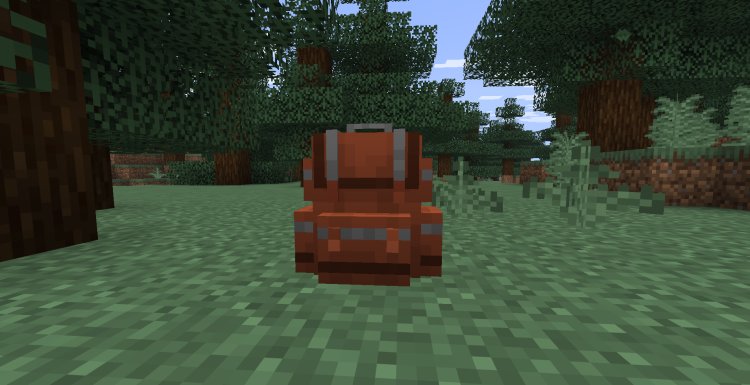
If you want more storage, upgrades, and better inventory management in Minecraft, installing the Sophisticated Backpacks mod is one of the best improvements you can make. This SEO-optimized tutorial explains exactly how to download and install Sophisticated Backpacks for Minecraft using NeoForge, including all required dependencies and links.
This guide works for most modern Minecraft Java Edition versions and is written to help you install the mod quickly, avoid common errors, and get it running on the first try.
What Is Sophisticated Backpacks Mod For Minecraft
Sophisticated Backpacks is a Minecraft Java Edition mod that adds customizable backpacks with upgrade slots, automation features, filters, and advanced storage tools. Compared to basic inventory mods, it offers:
-
Upgradeable backpacks with crafting, sorting, and feeding upgrades
-
Massive portable storage
-
Automatic item pickup and filtering
-
Integration with other mods
-
Performance-friendly design for modpacks
Because this is a dependency-based mod, you must also install NeoForge and Sophisticated Core for it to work properly.
Step 1 — Download Sophisticated Backpacks Mod
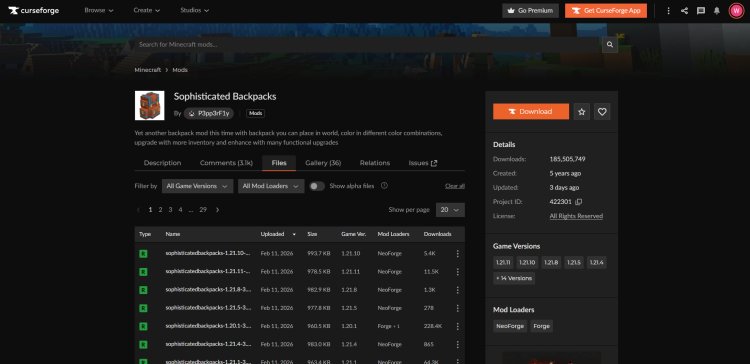
Download the mod version that matches your Minecraft version here:
Sophisticated Backpacks download:
https://www.curseforge.com/minecraft/mc-mods/sophisticated-backpacks
Important: Always match the mod version to your exact Minecraft version. Installing the wrong version is the most common reason mods fail to load.
Step 2 — Download NeoForge Mod Loader
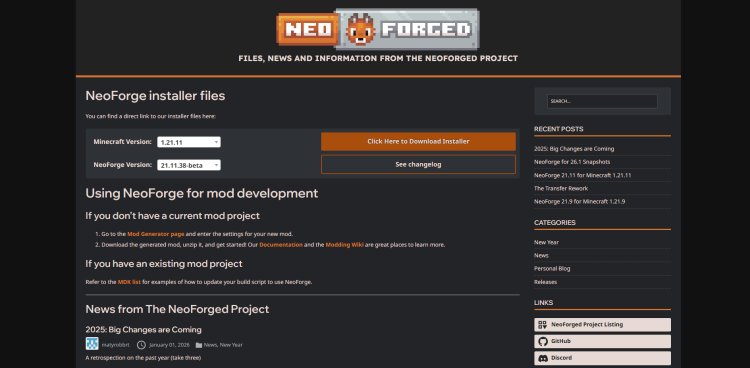
Sophisticated Backpacks requires NeoForge to run.
Download NeoForge here:
https://neoforged.net/
Make sure you download the NeoForge version that matches the same Minecraft version used in Step 1.
Step 3 — Download Sophisticated Core (Required Dependency)
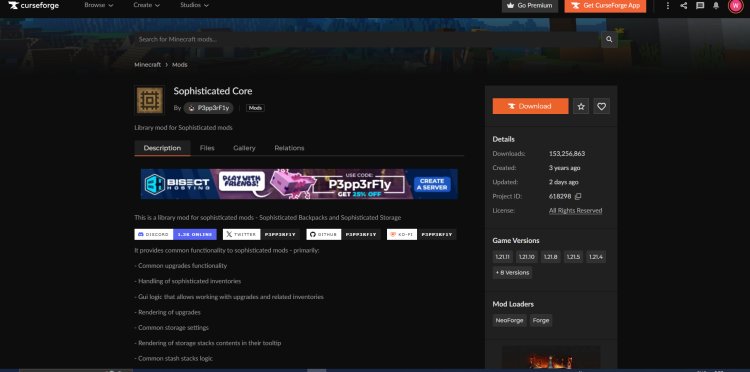
Sophisticated Core is required for Sophisticated Backpacks to function.
Download Sophisticated Core here:
https://www.curseforge.com/minecraft/mc-mods/sophisticated-core
Again, confirm the Minecraft version matches both NeoForge and the Backpack mod.
Step 4 — Download Java (If Needed)

Minecraft Java Edition mods require Java installed.
Download Java here:
https://www.oracle.com/java/technologies/downloads/#java21
If Java is already installed on your system, you can skip this step. Otherwise, install it before continuing.
Step 5 — Install NeoForge
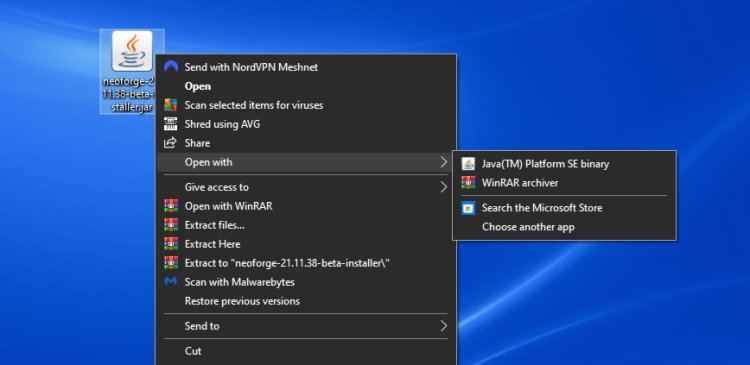
After downloading NeoForge:
-
Right-click the NeoForge installer file
-
Choose Open with Java
-
Run the installer and wait for installation to complete
This creates a NeoForge profile inside the Minecraft Launcher.
Step 6 — Open Mods Folder
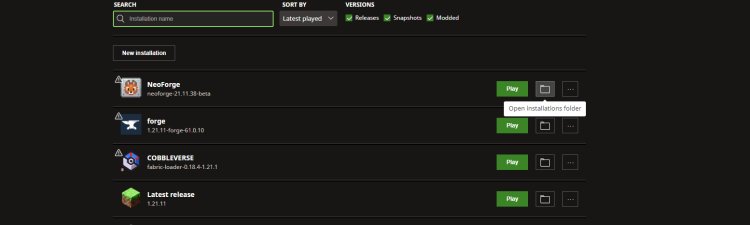
Now prepare your mods folder:
-
Open Minecraft Launcher
-
Click INSTALLATIONS at the top
-
Locate the NeoForge installation
-
Open the installation folder
-
Find the folder named mods
If the mods folder does not exist, create one manually and name it exactly: mods
Step 7 — Add Sophisticated Backpacks Mod
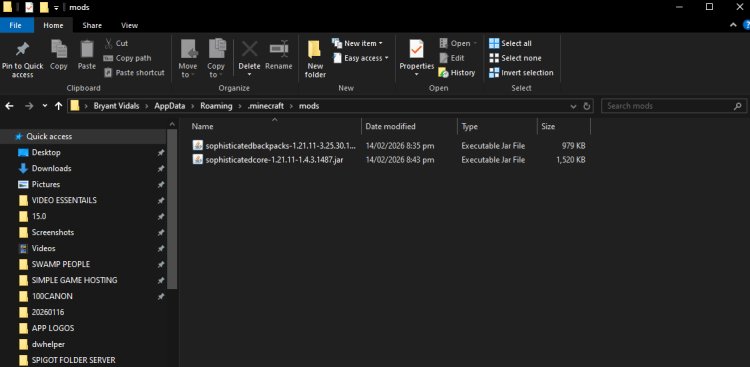
Drag and drop the following files into the mods folder:
-
Sophisticated Backpacks mod file
-
Sophisticated Core mod file
Do not unzip the files. Leave them as .jar files.
Step 8 — Launch Minecraft With NeoForge
-
Return to Minecraft Launcher
-
Select the NeoForge installation profile
-
Click Play
-
Once Minecraft loads, the mod will be installed
You can now create or load a world and enjoy Sophisticated Backpacks.
Common Installation Errors (Fix Guide)
Minecraft crashes on launch
Usually caused by:
-
Wrong Minecraft version
-
Missing Sophisticated Core dependency
-
NeoForge version mismatch
Mods not showing in game
Check:
-
Files are inside the mods folder
-
Files are .jar format
-
You launched the NeoForge profile, not Vanilla Minecraft
Java not detected
Reinstall Java from the official download link above and retry opening the NeoForge installer.