Top 10 REALISTIC Texture Packs For Minecraft Bedrock - Ultimate Graphics Guide 2026
 mcpecentraladmin
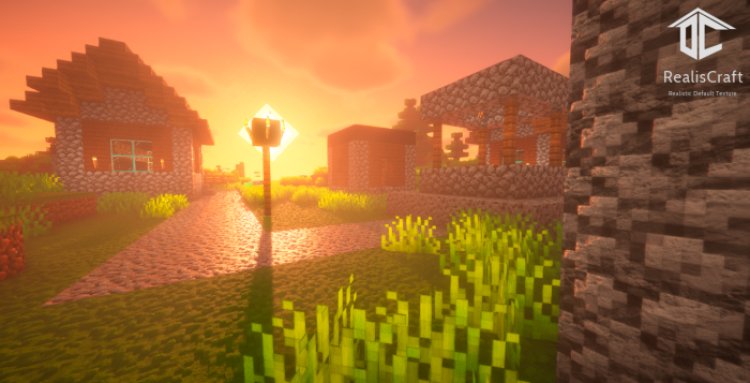
Top 10 REALISTIC Texture Packs For Minecraft Bedrock - Ultimate Graphics Guide 2026
Looking to transform Minecraft Bedrock into a visually stunning, realistic world? Texture packs are the ultimate way to enhance your gameplay experience without sacrificing performance or stability. We've tested hundreds of realistic texture packs for Minecraft Bedrock to bring you the ten absolute best options that deliver stunning graphics, improved immersion, and compatibility with all Bedrock devices.
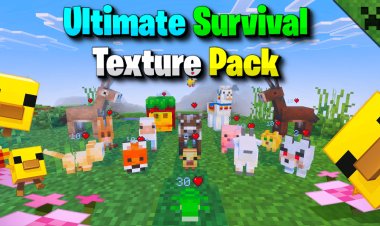
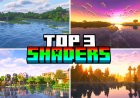
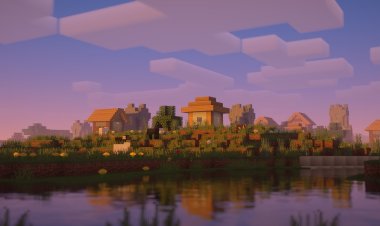
Whether you're playing on mobile, console, or PC, these realistic texture packs will completely revolutionize how your Minecraft Bedrock world looks. From photorealistic stone textures to cinematic water effects, these packs combine stunning visuals with the lightweight performance Bedrock is known for.
What Are Realistic Texture Packs For Minecraft Bedrock?
Realistic texture packs replace default Minecraft block, item, and entity textures with higher-resolution, more detailed versions that enhance the game's visual quality. Unlike shaders (which require Java Edition), realistic texture packs work natively on Minecraft Bedrock without additional mods or optimization software.
The best realistic texture packs for Minecraft Bedrock deliver:
- Higher resolution textures (up to 512x or higher)
- Detailed block variations and depth
- Realistic material appearances (stone, wood, metal, glass)
- Improved lighting and shadow detail
- Enhanced water and particle effects
- Better UI and item textures
- Smooth compatibility with low-end devices
1. RealSource - Realistic Pack - Best Overall Realistic Texture Pack For Minecraft Bedrock
Rating: 5/5
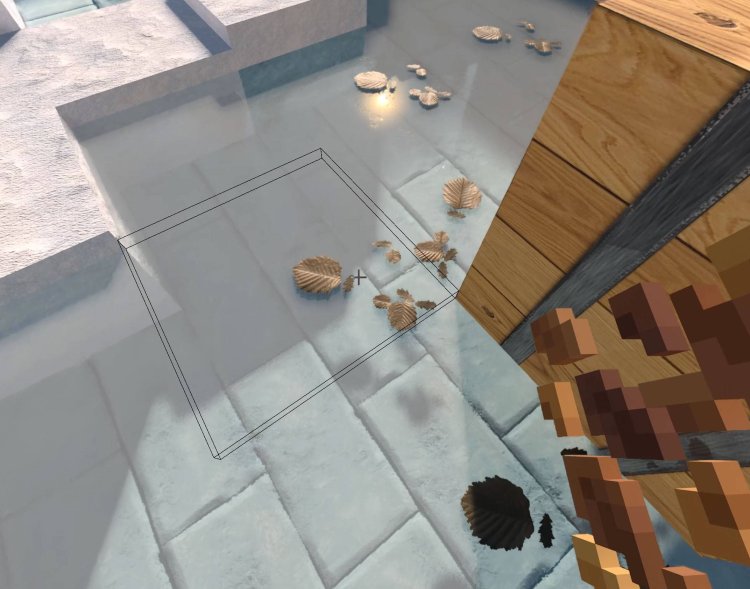
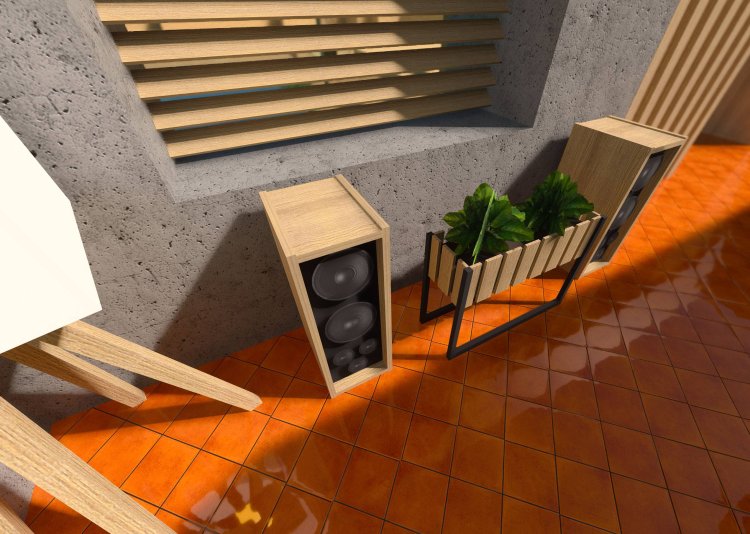
RealSource Realistic Pack is the undisputed king of realistic texture packs for Minecraft Bedrock. This incredible pack transforms every block, item, and entity in your game into a photorealistic masterpiece. With stunning detail work, accurate material representation, and professional-quality textures, RealSource delivers cinema-quality graphics that rival paid game assets.
Why RealSource dominates Minecraft Bedrock realism:
- Photorealistic block textures – Every stone, dirt, wood, and ore block looks like real materials
- Detailed item rendering – Tools, weapons, and items feature intricate detail and realistic shading
- Professional entity textures – Mobs, players, and creatures look dramatically improved
- Optimized for performance – Maintains excellent FPS on all Bedrock devices, including mobile
- Immersive atmosphere – Water, sky, and particles create a completely transformed world
- Regular updates – Continuously improved and refined for new Minecraft versions
RealSource Realistic Pack works flawlessly with Minecraft Bedrock on all platforms—PC, mobile, console, and tablets. The pack is compatible with other addons and texture packs, giving you total customization freedom. Whether you're building, exploring, or creating content, RealSource instantly elevates your visual experience to professional standards.
The attention to detail is extraordinary—rust on metal, cracks in stone, natural wood grain variations, and realistic lighting all combine to create a world that feels alive and authentic. RealSource is the texture pack every serious Bedrock player should install.
Download: https://mcpedl.com/realsource-realistic-pack/
2. DynamicLight - Best Lighting & Atmosphere Texture Pack For Minecraft Bedrock
Rating: 5/5
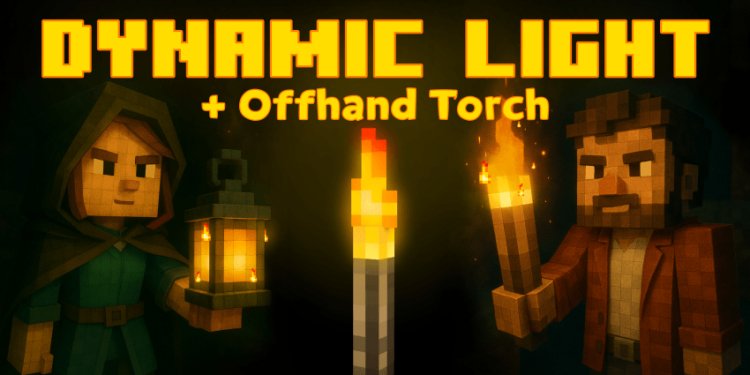
DynamicLight brings cinematic lighting and atmospheric effects to Minecraft Bedrock, creating a visual experience that feels alive and immersive. This texture pack combines realistic block textures with custom lighting effects, dynamic particle interactions, and enhanced environmental details that transform caves, forests, and oceans into breathtaking environments.
Why DynamicLight excels for Minecraft Bedrock:
- Realistic lighting interactions – Light sources emit proper glow and illuminate surroundings realistically
- Atmospheric particle effects – Dust, mist, and fog create depth and immersion
- Enhanced cave ambiance – Dark caves feel genuinely dangerous and mysterious with improved lighting
- Beautiful water effects – Water looks clearer, more reflective, and more realistic
- Performance optimized – Works smoothly on all Bedrock hardware without lag
- Mood-setting details – Every environment feels intentionally designed and atmospheric
DynamicLight is perfect for Minecraft Bedrock survival players who want their world to feel cinematic and alive. The pack's lighting improvements make cave exploration more atmospheric, building projects more visually striking, and exploration more immersive. Combined with RealSource or other realistic packs, DynamicLight amplifies the visual transformation.
The texture pack is especially effective for content creators and streamers who want to create visually compelling videos. Every screenshot and stream frame looks professionally lit and cinematically composed.
Download: https://mcpedl.com/dynamiclight/
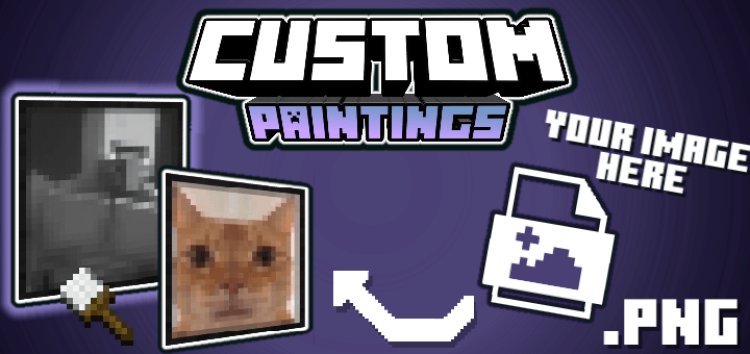
3. Custom Paintings & Frames - Best Decoration Texture Pack For Minecraft Bedrock
Rating: 4.5/5
Custom Paintings & Frames adds stunning, realistic artwork and frame designs to Minecraft Bedrock. This texture pack completely reimagines in-game paintings with beautiful, high-resolution artwork while adding decorative frames that look like real gallery installations. Perfect for builders, creatives, and players who want to add artistic flair to their bases.
Why Custom Paintings & Frames enhances Minecraft Bedrock:
- Gorgeous custom artwork – Replaces default pixelated paintings with beautiful, detailed art
- Realistic frame designs – Frames look like actual wooden or metal gallery installations
- Multiple art styles – Various artistic styles and themes to match any build aesthetic
- Easy customization – Simple to mix and match paintings with your texture pack setup
- Works with any pack – Compatible with RealSource, DynamicLight, and other realistic packs
- Low performance impact – Minimal file size and zero lag on any device
Custom Paintings & Frames is ideal for players who want to create realistic interior designs, art galleries, museums, and decorated bases. The pack adds a layer of sophistication and visual polish that separates professional builds from basic constructions. Whether you're building a mansion, museum, or creative showcase, Custom Paintings & Frames elevates your aesthetic.
Download: https://mcpedl.com/custom-paintings-frames/
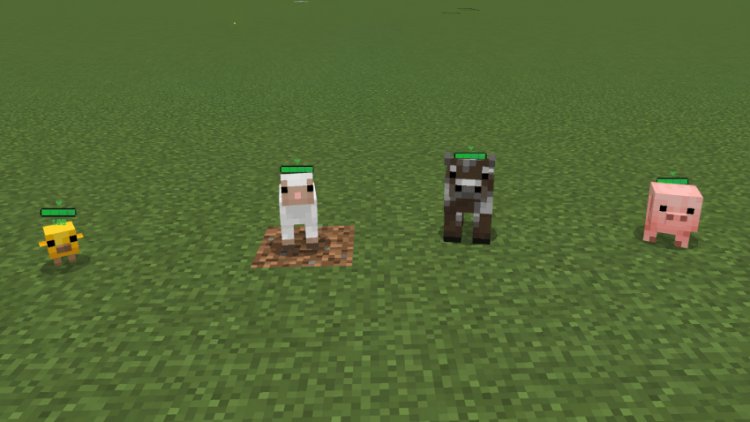
4. Health Bar Indicator - Best UI Improvement Texture Pack For Minecraft Bedrock
Rating: 4.5/5
Health Bar Indicator improves Minecraft Bedrock's user interface by adding clear, realistic health bars and status indicators. This texture pack makes combat, survival, and multiplayer gameplay more intuitive by showing health information clearly and visually. The improved UI looks professional and modern while maintaining full compatibility with Bedrock gameplay.
Why Health Bar Indicator improves Minecraft Bedrock:
- Clear health visualization – See your health bar and opponent health bars instantly
- Status effect indicators – Visual representations of potion effects and buffs
- Improved readability – Modern, clean UI design that's easy to read at a glance
- Professional appearance – Looks like a polished, AAA game UI
- PvP advantage – Instantly see your health and opponent health during combat
- Zero performance impact – Pure visual improvement with no lag
Health Bar Indicator is essential for Minecraft Bedrock PvP players, survival enthusiasts, and multiplayer realm members. The clear health visualization prevents accidental deaths and makes combat more strategic. The texture pack works flawlessly with other realistic packs and addons.
Download: https://mcpedl.com/health-bar-indicator/
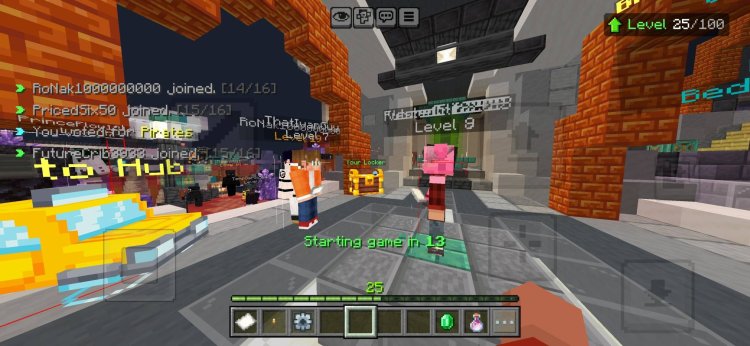
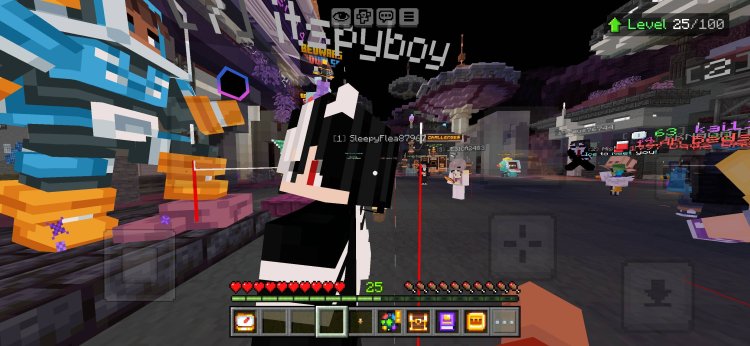
5. Java Hitbox By BakutheBuilder - Best Java Edition Conversion For Minecraft Bedrock
Rating: 5/5
Java Hitbox by BakutheBuilder transforms Minecraft Bedrock's UI and visual style to match Java Edition. If you love Java Edition's aesthetic but prefer playing Bedrock, this texture pack is your answer. It replaces Bedrock's UI elements with Java Edition-style designs, making your Bedrock experience feel like you're playing the Java version.
Why Java Hitbox by BakutheBuilder is essential for Bedrock:
- Java Edition UI conversion – Makes Bedrock look and feel like Java Edition
- Familiar controls and layout – Perfect transition for Java players switching to Bedrock
- Detailed entity hitboxes – Shows actual hitbox sizes for better combat understanding
- Professional appearance – Java Edition's iconic visual style applied to Bedrock
- Compatibility – Works perfectly with other realistic texture packs
- No performance loss – Pure visual enhancement with zero FPS impact
Java Hitbox by BakutheBuilder is ideal for players who prefer Java Edition's aesthetic but want the performance and accessibility of Minecraft Bedrock. The pack seamlessly integrates with realistic texture packs like RealSource, creating a cohesive Java-style Bedrock experience.
Download: https://mcpedl.com/java-hitbox-bakuthebuilder/
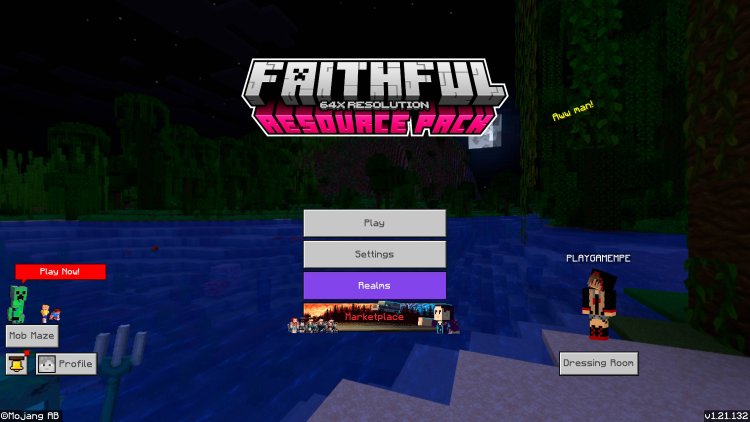
6. Faithful Bedrock Edition Unified Pack v3.6 - Best Classic Realistic Texture Pack For Minecraft Bedrock
Rating: 5/5
Faithful Bedrock Edition Unified Pack v3.6 is the gold standard for faithful, realistic textures that enhance Minecraft without completely changing its iconic appearance. This pack maintains Minecraft's characteristic style while dramatically improving texture detail, resolution, and visual quality. It's the perfect balance between realism and Minecraft authenticity.
Why Faithful Bedrock Edition is beloved by Minecraft players:
- Faithful to original design – Enhances textures without drastically changing Minecraft's look
- High resolution textures – Detailed block textures that maintain visual consistency
- Unified across all blocks – Every texture feels cohesive and intentionally designed
- Regular updates – v3.6 is the latest version with support for new Minecraft features
- Universal compatibility – Works with all Bedrock devices and versions
- Professional quality – Used by content creators and competitive players worldwide
Faithful Bedrock Edition Unified Pack v3.6 is perfect for players who want improved visuals without sacrificing Minecraft's iconic look. The pack works beautifully alone or combined with other enhancement packs. Its popularity among content creators and competitive players proves its quality and reliability.
Download: https://mcpedl.com/faithful-bedrock-edition-unified-pack-v3-6/
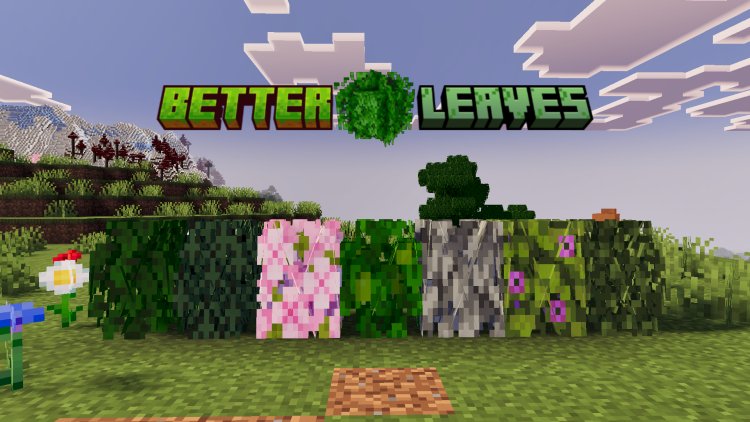
7. Reefy's Better Leaves - Best Nature Texture Pack For Minecraft Bedrock
Rating: 4.5/5
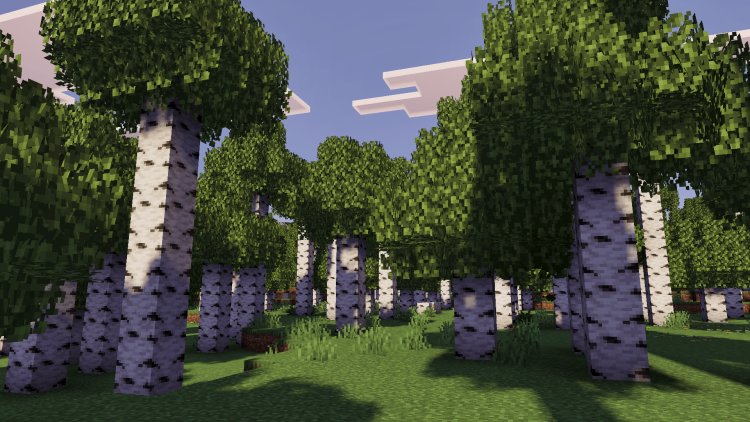
Reefy's Better Leaves completely transforms tree foliage in Minecraft Bedrock, making forests and jungles look dramatically more realistic and visually appealing. This texture pack replaces leaf textures with detailed, varied designs that create natural-looking trees instead of uniform blocks. Perfect for builders, explorers, and anyone who spends time in forested biomes.
Why Reefy's Better Leaves enhances Minecraft Bedrock:
- Realistic leaf textures – Leaves look like actual foliage instead of solid blocks
- Natural color variations – Different leaf colors create authentic forest appearance
- Improved forest aesthetics – Biomes look lush, natural, and visually stunning
- Minimal file size – Lightweight pack that works on all devices
- Easy integration – Combines perfectly with realistic texture packs
- Seasonal variations – Leaves look appropriate for different biomes and seasons
Reefy's Better Leaves is essential for players who want their Minecraft Bedrock world to feel natural and immersive. The improved leaf textures dramatically enhance forest exploration, base building in natural areas, and overall world aesthetics. The pack is particularly effective when combined with other realistic packs.
Download: https://mcpedl.com/reefys-better-leaves/
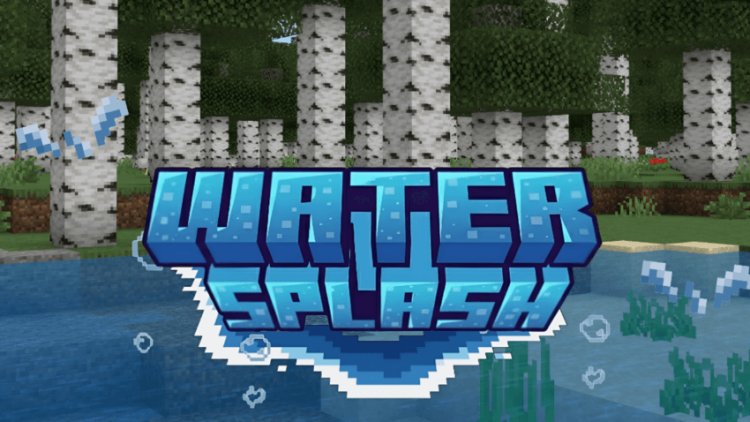
8. Water Splash Animation - Best Water Effects Texture Pack For Minecraft Bedrock
Rating: 4.5/5
Water Splash Animation brings dynamic, realistic water splash effects to Minecraft Bedrock. When you swim, dive, or disturb water, this pack displays beautiful animated splash particles that make water interactions feel responsive and authentic. The pack dramatically improves water aesthetics and gameplay feel.
Why Water Splash Animation enhances Minecraft Bedrock:
- Realistic water splashes – Dynamic particle effects when interacting with water
- Responsive gameplay – Immediate visual feedback for water interactions
- Beautiful animations – Professional-quality splash effects and particle design
- Immersive swimming – Water gameplay feels more realistic and satisfying
- Zero performance impact – Lightweight animations that work on all devices
- Compatible with other packs – Works seamlessly with realistic texture packs
Water Splash Animation is perfect for players who spend significant time swimming, diving, or water-based building. The pack's visual improvements make water interaction more enjoyable and immersive. Combined with DynamicLight and RealSource, Water Splash Animation completes a realistic water experience.
Download: https://mcpedl.com/water-splash-animation/
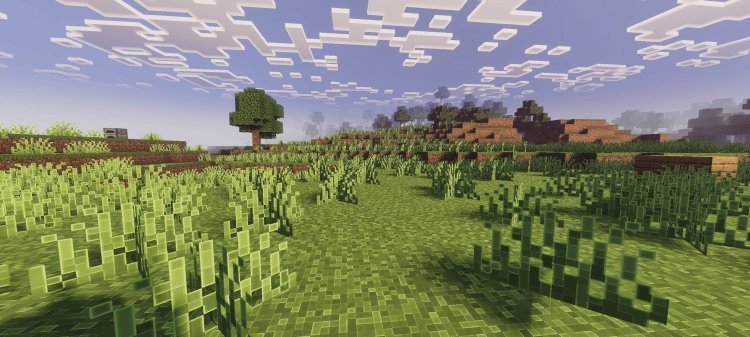
9. Outline Texture Pack 2 - Best Block Definition Texture Pack For Minecraft Bedrock
Rating: 4/5
Outline Texture Pack 2 adds subtle outline and edge definition to Minecraft Bedrock blocks, making them more visually distinct and easier to see. This texture pack improves depth perception and block clarity without dramatically changing the game's appearance. Ideal for builders who want clearer block distinction and improved visibility.
Why Outline Texture Pack 2 improves Minecraft Bedrock:
- Enhanced block definition – Clear outlines make blocks more distinct and visible
- Improved depth perception – Better ability to see block edges and placement
- Subtle enhancement – Improves visuals without drastic aesthetic changes
- Building advantages – Clearer block visibility helps builders place blocks more precisely
- Minimal performance impact – Lightweight modifications with zero lag
- Easy customization – Works with other realistic packs for combined effect
Outline Texture Pack 2 is particularly useful for creative builders, redstone engineers, and players who value precise block placement. The enhanced definition reduces building errors and makes construction more efficient. The pack is especially effective when combined with realistic texture packs for maximum visual clarity.
Download: https://mcpedl.com/outline-texture-pack-2/
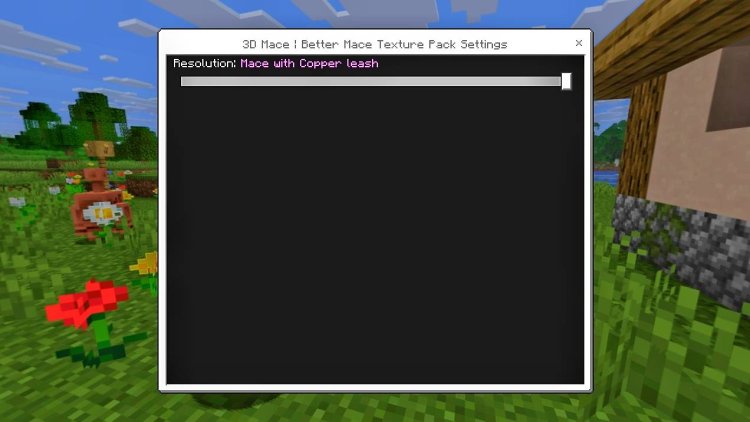
10. New 3D Mace Texture Pack By NEQ Gamerz - Best Weapon Detail Texture Pack For Minecraft Bedrock
Rating: 4/5
New 3D Mace Texture Pack by NEQ Gamerz adds detailed, three-dimensional textures to the Minecraft Bedrock mace weapon. This pack transforms the mace from a simple 2D sprite into a visually impressive 3D weapon with realistic metalwork, engravings, and professional-quality detail. Perfect for players who want their weapons to look impressive.
Why New 3D Mace Texture Pack enhances Minecraft Bedrock:
- Stunning 3D mace design – The weapon looks like professional game asset quality
- Detailed metalwork – Realistic engravings, rust effects, and material texture
- Immersive combat – Improved weapon visuals make combat feel more impactful
- Professional quality – Looks like official Minecraft content
- Easy installation – Simple texture replacement with no compatibility issues
- Works with all packs – Compatible with realistic texture packs for complete visual overhaul
New 3D Mace Texture Pack by NEQ Gamerz is ideal for combat-focused players, PvP enthusiasts, and anyone who wants their weapons to look impressive. The detailed mace design adds visual impact to combat encounters and makes wielding weapons feel more satisfying. The pack is especially effective in multiplayer realms where visible weapons matter.
Download: https://mcpedl.com/new-3d-mace-texture-pack-by-neq-gamerz/
How To Install Realistic Texture Packs On Minecraft Bedrock
Installing texture packs on Minecraft Bedrock is simple and works on all platforms—PC, mobile, console, and tablets.
Installation Steps:
- Download the texture pack – Download the .mcpack or .zip file from the provided link
- Locate the file – Find the downloaded file on your device
- Open Minecraft Bedrock – Launch Minecraft Bedrock Edition
- Navigate to packs – Go to Settings > Global Resources > Packs
- Add the pack – Select "Add Pack" and choose the downloaded texture pack file
- Enable the pack – Move the texture pack from "Available" to "Active" packs
- Create/load world – Create a new world or load an existing world to see the pack applied
- Enjoy – Your world now displays the realistic textures
Pro Tips:
- Multiple texture packs can be activated simultaneously (they'll layer effects)
- Place packs in order of priority (top packs override lower packs)
- Some packs work better with specific combinations (RealSource + DynamicLight + Water Splash Animation = optimal realism)
- Clear your cache if textures don't appear immediately
Best Realistic Texture Pack Combinations For Minecraft Bedrock
Ultimate Realistic Bundle (maximum visual enhancement):
- RealSource Realistic Pack (base textures)
- DynamicLight (lighting and atmosphere)
- Water Splash Animation (water effects)
- Reefy's Better Leaves (nature enhancement)
- Custom Paintings & Frames (decoration)
Builder's Bundle (perfect for creative construction):
- Faithful Bedrock Edition Unified Pack v3.6
- Outline Texture Pack 2 (block clarity)
- Custom Paintings & Frames
- Health Bar Indicator
Combat Bundle (PvP and combat focus):
- RealSource Realistic Pack
- Java Hitbox by BakutheBuilder
- New 3D Mace Texture Pack
- Health Bar Indicator
Exploration Bundle (adventure and immersion):
- RealSource Realistic Pack
- DynamicLight
- Reefy's Better Leaves
- Water Splash Animation
Realistic Texture Packs vs Shaders: Which Should You Use?
Texture Packs replace block, item, and entity textures with higher-resolution versions. They work natively on Minecraft Bedrock without additional software.
Shaders change how Minecraft renders lighting, shadows, and visual effects. They require Optifine (Java Edition only) or special shader mods.
For Minecraft Bedrock, texture packs are your primary visual enhancement tool. Bedrock doesn't support traditional shaders like Java Edition, so realistic texture packs are essential for dramatically improving graphics.
Recommendation: Start with RealSource Realistic Pack as your foundation, then add DynamicLight, Water Splash Animation, and other enhancement packs to create a fully immersive, photorealistic Bedrock experience.
Performance Tips For Realistic Texture Packs On Minecraft Bedrock
For low-end devices (phones, older tablets):
- Use Faithful Bedrock Edition Unified Pack (lighter than RealSource)
- Limit to 2-3 texture packs maximum
- Reduce render distance to 8-12 chunks
- Disable fancy graphics and particle effects
For mid-range systems (modern phones, budget PC):
- Use RealSource + DynamicLight combination
- Limit to 4-5 texture packs
- Use 12-20 chunk render distance
- Enable most visual effects
For high-end systems (gaming PC, current consoles):
- Use complete realistic bundle (all 10 packs)
- Enable maximum chunk render distance (32+)
- Enable all visual effects and enhanced graphics
- Use highest resolution versions available
All recommended texture packs are optimized for performance on Bedrock, so even lower-end devices can handle 2-3 packs simultaneously without significant FPS loss.
Final Verdict: Top 10 Realistic Texture Packs For Minecraft Bedrock 2026
These ten realistic texture packs represent the absolute best visual enhancements available for Minecraft Bedrock. RealSource Realistic Pack is the king of photorealism, DynamicLight creates cinematic atmosphere, Custom Paintings & Frames adds artistic flair, and the remaining seven packs perfect every visual aspect of your world.
Whether you're a builder, explorer, content creator, or casual player, installing these realistic texture packs will completely transform your Minecraft Bedrock experience. From photorealistic block textures to dynamic water effects, atmospheric lighting to detailed weapons, these packs combine to create a visually stunning, immersive world.
Download your favorite realistic texture packs today and experience Minecraft Bedrock like never before. Your world awaits—enhanced, detailed, and absolutely beautiful. With these ten packs, you'll have one of the most visually impressive Minecraft Bedrock setups on the platform.