How To Download Replay Mod For Minecraft Bedrock (Easy Cinematic Add-on)
 mcpecentraladmin
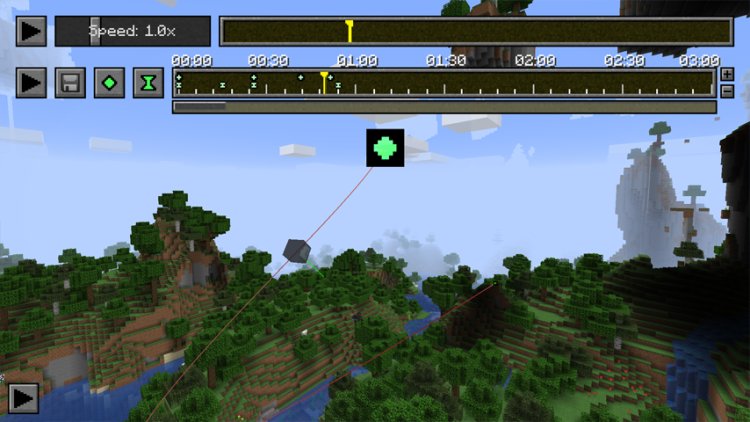
If you’re a Minecraft Bedrock player who wants to create cinematic videos, smooth camera movements, and professional-looking replays, you can absolutely do that by installing a mod-style add-on! While Bedrock Edition doesn’t support traditional Java mods, you can use addons — downloadable .mcaddon files — to add features like a replay mode. One of the best options right now is the Easy Cinematic Replay Add-on, sometimes called the replay mod for Bedrock.
In this guide, you’ll learn:
What the Replay Mod for Minecraft Bedrock is
How to download it
✔ Step-by-step instructions for installing mods/addons in Minecraft Bedrock
What Is the Minecraft Bedrock Replay Mod (Easy Cinematic)?
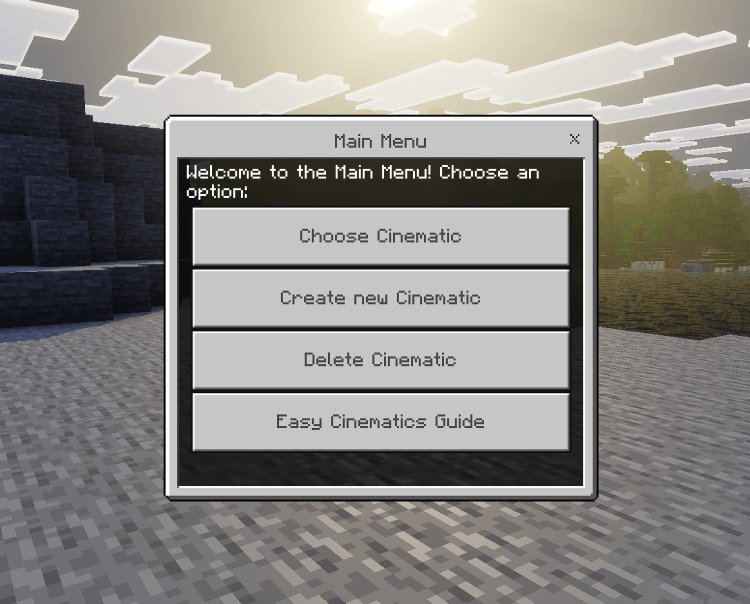
The Easy Cinematic Add-on works like a replay mod for Minecraft Bedrock. It gives you tools to create cinematic camera movements, customizable keyframes, and smooth cinematic shots inside your Bedrock world — ideal for YouTube, TikToks, or showcasing builds.
Download link for the replay mod (Easy Cinematic for Minecraft Bedrock):
https://mcpedl.com/easy-cinematic/ — this page includes the latest versions of the addon files.
The add-on is updated regularly and supports newer Minecraft Bedrock versions like 1.21.x.
How To Download Mods for Minecraft Bedrock
Unlike Java Edition, Bedrock Edition doesn’t use traditional .jar mods — it uses addons (.mcaddon or .mcpack files) that you import directly into the game. Here’s how it works:
Step 1 — Find a Compatible Add-on
Visit trusted addon sites like MCPEDL and search for the mod/addon you want. For replay/cinematic features, the Easy Cinematic addon is one of the top picks.
Step 2 — Download the Addon Files
Once on the addon page:
-
Scroll to the Downloads section.
-
Choose the version that matches your Minecraft Bedrock edition (usually shown on the addon page).
-
Tap or click the download link.
You’ll get one or more .mcaddon files — these are the actual addon files that Minecraft can import.
Step 3 — Import Into Minecraft Bedrock
Depending on your device:
-
Windows 10 / 11: Double-click the .mcaddon file — it should automatically open Minecraft and import.
-
Mobile (iOS / Android): Tap the .mcaddon file from your downloads folder — Minecraft will launch and import it.
Once imported, you’ll see a confirmation in Minecraft.
How To Enable the Replay Add-on In Your World
After importing the files:
-
Launch Minecraft Bedrock Edition.
-
Create a new world (or edit an existing one).
-
Go to Settings → Add-Ons → Behavior Packs and Resource Packs.
-
Activate the Easy Cinematic behavior and resource packs.
-
Make sure to enable Experimental Creator Camera Features in the world’s Experimental Settings.
-
Start the world.
Now you can use the cinematic controller and menu to create replays and cinematic shots!